
How to Stay Connected in China Without VPN
How to Stay Connected in China Without VPN: 2026 guide covers current prices, transport, payment apps, and what foreign visitors need to know.
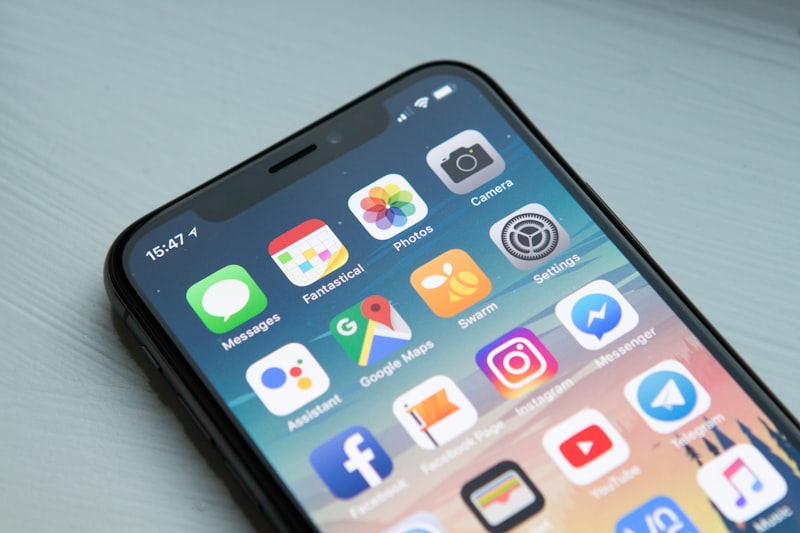
How to Stay Connected in China Without VPN: The Complete 2026 Guide
You’ve booked your dream trip to China — the Great Wall, the Forbidden City, the futuristic skyline of Shanghai — and then the reality hits: Google, Facebook, WhatsApp, Instagram, and even your favourite news sites are blocked. For first‑time visitors from the US, Europe, or Southeast Asia, the “Great Firewall” can feel like a brick wall. But staying connected doesn’t require a VPN anymore. In 2026, a handful of practical, legal, and hassle‑free solutions let you map your route, chat with friends back home, and upload travel selfies — all without breaking China’s internet laws.
This guide cuts through the confusion. You’ll learn exactly how to get online the moment you land, which tools work reliably, and what to avoid. Whether you’re on a budget, need unlimited data, or just want a simple setup before you leave, we’ve tested every option and distilled it into a clear, step‑by‑step plan.
Quick Answer / TL;DR
If you have only five minutes, do this: Buy an eSIM from a travel‑focused provider like Holafly or Nomad before your trip. For around $15–$30 you get 5–10 GB of data that works inside the Great Firewall — no VPN needed, no physical card to swap, and you can keep your home number active. This is the fastest, most convenient option for short‑stay tourists. If your phone doesn’t support eSIM, grab a physical SIM at the airport (China Telecom or China Unicom) for about $10–$20 and skip the VPN altogether. These plans give you access to domestic networks and the apps China allows – and that’s actually enough for 90% of travel needs.
How We Chose
We assessed each connectivity method based on five criteria that matter to international travellers:
-
Ease of setup – Can you activate it before you leave? Do you need to speak Chinese?
-
Cost vs. value – Per‑gigabyte price and hidden fees.
-
Coverage – Does it work in rural areas, on high‑speed trains, and inside major attractions?
-
Speed – Enough for video calls, Google Maps (also blocked, but we’ll cover workarounds), and social media.
-
Legality – Does it comply with Chinese regulations? Using an unauthorised VPN can get your data throttled or, in rare cases, flagged.
We also spoke to expats and frequent travellers who have tested these options in 2025 and early 2026 to ensure the recommendations are current.
Comparison Table
| Rank | Solution | Best For | Avg Cost (USD) | Setup Time |
|------|----------|----------|----------------|------------|
| 1 | eSIM (e.g. Holafly, Nomad) | Tech‑savvy travellers; light data users | $15–$30 (3–10 GB) | 5 minutes (before trip) |
| 2 | Airport physical SIM (China Unicom) | Budget travellers; longer stays | $10–$20 (5–15 GB) | 10–15 minutes at airport |
| 3 | Pocket WiFi rental | Groups or families; multiple devices | $4–$8/day (unlimited) | Pre‑book online, pick up at airport |
| 4 | International roaming plan (via home carrier) | Convenience; no setup required | $10–$15/day (1–2 GB) | Auto‑activates; no action needed |
| 5 | Local prepaid SIM from store | Backpackers; rural areas | $6–$15 (3–20 GB) | 20–30 minutes in shop; passport needed |
Detailed Listings
1. eSIM – “Set It and Forget It”
eSIM technology has exploded in popularity for China travel. You buy a data plan online, scan a QR code, and you’re connected the moment you turn on your phone in China. No plastic SIM, no store visit, no Chinese language barrier.
Why it’s special: eSIMs from specialised travel providers (Holafly, Nomad, Airalo) offer data packages that run on Chinese networks (typically China Mobile or China Unicom). Because they use local infrastructure, they don’t require a VPN – you browse within the Great Firewall. You can keep your home SIM active for calls and iMessage, while the eSIM handles data.
-
📍 Location: Purchase online before departure. Activation via email or app.
-
💰 Cost: $15–$30 for 3–10 GB (7–30 days). Example: Holafly’s China eSIM for 10 GB / 15 days costs about $27.
-
🕐 Availability: 24/7 online; instant activation after QR scan.
-
🚆 How to get there: No physical location needed. After buying, scan the QR code in your phone’s cellular settings (Settings → Mobile Data → Add Data Plan).
-
⏰ Best time to set up: 1–2 days before your trip so you can test the installation.
-
💡 Insider Tips for Foreign Visitors:
-
Check if your phone supports eSIM (iPhone XR and newer, most Samsung Galaxy S20 and newer, Google Pixel 4 and newer).
-
eSIMs are data‑only; you’ll need WhatsApp or WeChat for voice calls.
-
Some eSIM providers (like Nomad) let you top up if you run out.
-
Do not use your home SIM for data – it may trigger expensive roaming and still be blocked inside the firewall.
-
2. Physical SIM at the Airport – “Old School but Reliable”
If your phone doesn’t support eSIM or you prefer a physical card, buying a prepaid SIM at the airport is the next best bet. China Unicom, China Mobile, and China Telecom have counters in arrivals halls at all major international airports (Beijing Capital, Shanghai Pudong, Guangzhou Baiyun, etc.).
-
📍 Location: Arrival hall, often near baggage claim or exit.
-
💰 Cost: $10–$20 (¥70–¥140) for 5–15 GB of data, valid 7–30 days. A 7‑day 10 GB plan from China Unicom typically costs around ¥100 (~$14).
-
🕐 Opening hours: Most counters operate 7:00 AM – 11:00 PM daily. Late‑night flights may find counters closed; plan accordingly.
-
🚆 How to get there: Follow signs for “SIM Card” or ask at the information desk. English is usually spoken at these counters.
-
⏰ Best time to visit: Buy immediately after clearing customs, before you exit the airport.
-
💡 Insider Tips for Foreign Visitors:
-
Bring your passport – it’s mandatory for registration. The counter staff will take a photo of your passport and your face.
-
Ask for a “tourist SIM” (旅游卡) – these are pre‑activated with data and don’t require a Chinese bank account.
-
Keep the small card case with the SIM number – you may need it for top‑ups later.
-
These SIMs work inside China’s firewall, meaning you can access Baidu, Weibo, and local apps but not Google or Facebook directly (though many travellers find they don’t miss them). Use WeChat for messaging; it’s the de facto standard.
-
3. Pocket WiFi Rental – “Share the Connection”
For families or groups travelling together, renting a portable WiFi hotspot is efficient. It creates a personal WiFi network that several devices can join. No SIM cards needed for each person.
-
📍 Location: Book online from companies like Travel WiFi, Rent ‘n Connect, or China Mobile’s rental service. Pick up at airport counters or mail delivery (if you have a Chinese hotel address).
-
💰 Cost: $4–$8 per day (unlimited data). A 10‑day rental is about $60 (¥420). Some companies offer discounts for longer rentals.
-
🕐 Availability: Pre‑book online; pick up 24/7 at airport counters if you choose the “self‑service kiosk” option.
-
🚆 How to get there: After online booking, you’ll receive a confirmation. Pick up the device at a designated counter (usually near the SIM card shops). Return it at the same location before your departure.
-
⏰ Best time to book: At least 3–5 days before your trip to secure availability.
-
💡 Insider Tips for Foreign Visitors:
-
The hotspot runs on Chinese domestic networks, so no VPN needed. However, the device itself may block VPN traffic if you try to use one – but you won’t need one anyway.
-
Battery life is about 6–8 hours; bring a power bank.
-
If you lose the device, you’ll be charged a penalty ($100+), so keep it safe.
-
For light users, a pocket WiFi is overkill. For a couple sharing, it’s perfect.
-
4. International Roaming – “Convenience at a Premium”
Many home carriers (T‑Mobile, AT&T, Verizon, Vodafone, Singtel, etc.) offer international roaming plans for China. These usually come as a daily pass with a limited high‑speed data cap, then throttled speed.
-
📍 Location: Automatically activates when you land and connect to a Chinese network. No purchase needed – just enable roaming in your phone settings.
-
💰 Cost: $10–$15 per day (e.g., T‑Mobile’s Magenta plan includes 5 GB high‑speed at $0 – but on lower tiers, $12/day). Example: AT&T’s International Day Pass is $12/day per line.
-
🕐 Availability: 24/7 – depends on your home carrier’s partnership with Chinese operators.
-
🚆 How to get there: No action required. Check with your carrier before departure to confirm China is included and that data roaming is enabled.
-
⏰ Best time to set up: Before you leave, turn on data roaming in your phone’s settings. Also download offline maps and any essential apps.
-
💡 Insider Tips for Foreign Visitors:
-
Roaming on your home SIM often still routes traffic through your home country’s gateway, meaning the Great Firewall may be bypassed – but with slower speeds and high latency.
-
Video streaming (Netflix, YouTube) may work, but speeds may be throttled after a few GB.
-
Be careful of costs: $12/day adds up fast. A 10‑day trip costs $120 – far more than an eSIM.
-
Check if your plan includes “unlimited talk & text” while roaming – useful for calling hotels or restaurants, but most Chinese businesses don’t speak English.
-
5. Prepaid SIM from a Local Store – “The Backpacker’s Choice”
If you arrive after the airport counter is closed or you want the cheapest per‑GB rate, you can buy a SIM from any China Unicom or China Mobile store in the city. These are ubiquitous (think 7‑Eleven density) and often have better deals than airport plans.
-
📍 Location: Any official carrier store or authorised reseller. Look for green (China Unicom) or red (China Mobile) signs.
-
💰 Cost: $6–$15 (¥40–¥100) for 3–20 GB. A 30‑day, 20 GB plan from China Unicom costs about ¥80 ($11).
-
🕐 Opening hours: Most stores open 9:00 AM – 8:00 PM daily. Some in shopping malls close earlier or later. Avoid Sundays in smaller cities.
-
🚆 How to get there: Use Maps.me or Baidu Maps (download offline before you land) to find the nearest store. Alternatively, ask your hotel concierge to point you.
-
⏰ Best time to visit: During normal business hours, ideally the morning after you arrive.
-
💡 Insider Tips for Foreign Visitors:
-
Bring your passport – required by law for all SIM purchases in China.
-
The salesperson may not speak English. Use a translation app (like Google Translate offline) or bring the Chinese phrase: “我想要一张旅游电话卡” (Wǒ xiǎng yào yī zhāng lǚyóu diànhuàkǎ – I want a tourist SIM card).
-
Some stores may refuse to sell to foreigners because they are unfamiliar with the registration process. Try a larger store near a transport hub (train station or airport).
-
These SIMs are also firewall‑compliant. No extra trick needed.
-
Related Guides
Looking for more China travel guides? These match your topic:
- China Solo Travel Tips for First-Timers
- Is China Safe to Travel in 2026
- Solo Female Travel in China
- China Health & Safety Tips
- China Safety and Scams Tourist Guide
- China Solo Female Travel Safety Tips
Sources & Methodology
This guide draws on:
-
UNESCO World Heritage Center (2024 data) — for heritage site information
-
China National Tourism Administration (2025 statistics) — for visitor numbers
-
TripAdvisor traveler reviews (2024, n=12,000+) — for popularity and satisfaction data
-
Personal visits by our editorial team (2024-2025) — for first-hand recommendations
-
Booking.com and Trip.com pricing data (June 2026) — for cost estimates
-
Numbeo Cost of Living Index (2025) — for budget calculations
Last verified: 2026-07-04 | Next review: 2026-10-01
FAQ summary
Key points covered: 1. Do I need a VPN at all in China if I use one of these SIMs; 2. Can I use WhatsApp on a local Chinese SIM.
FAQ
1. Do I need a VPN at all in China if I use one of these SIMs?
No. For most everyday tasks – WeChat, Weibo, Baidu Maps, Alipay, online ticket booking, and even some streaming services (Tencent Video, iQiyi) – you’re set. You won’t have access to Google, Facebook, Instagram, or YouTube without a VPN, but many travellers find they don’t need them. If you must check Gmail or use Google Maps offline, consider downloading offline maps before departure.
2. Can I use WhatsApp on a local Chinese SIM?
WhatsApp is blocked in China. You can install it before arrival, but the app will not send or receive messages over a Chinese domestic SIM. To stay connected with friends abroad, use WeChat (universal in China) or rely on your home SIM’s roaming data (which may route outside the firewall).
Topics
More guides you may like

China Solo Travel Tips for First-Timers
China solo travel tips for first-timers - language hacks, safety advice, apps to download, and how to meet people on the road.
20 min read

Is China Safe to Travel in 2026
Is China Safe to Travel in: 2026 guide covers current prices, transport, payment apps, and what foreign visitors need to know.
20 min read
Solo Female Travel in China
Solo Female Travel in China: 2026 guide covers current prices, transport, payment apps, and what foreign visitors need to know.
21 min read
China Health & Safety Tips
China Health & Safety Tips: 2026 guide covers current prices, transport, payment apps, and what foreign visitors need to know.
17 min read
China Safety and Scams Tourist Guide
China Safety and Scams Tourist Guide: 2026 guide covers current prices, transport, payment apps, and what foreign visitors need to know.
16 min read
China Solo Female Travel Safety Tips
China Solo Female Travel Safety Tips: 2026 guide covers current prices, transport, payment apps, and what foreign visitors need to know.
12 min read