
China SIM Card and Internet Guide for Tourists
How to get a China SIM card or eSIM as a foreign visitor. Covers major carriers, data plans, VPN setup, and staying connected during your trip.
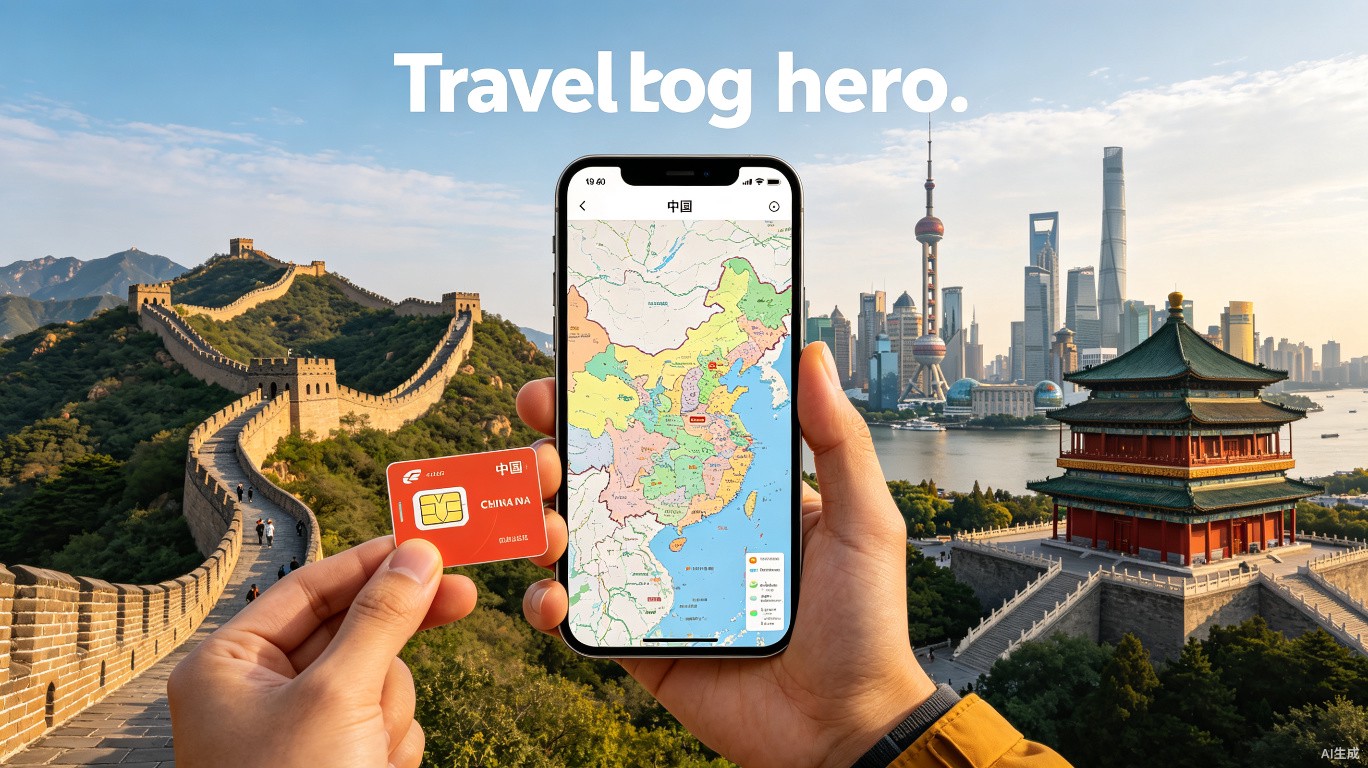
China SIM Card and Internet Guide for Tourists (2025–2026)
1. Introduction
You’ve booked your flights, packed your bags, and are ready to explore the Great Wall, eat your way through Chengdu, and cruise the Li River. But then reality hits: how do you get online in China? No Google, no WhatsApp, no Instagram. Your home SIM card will likely be blocked by the Great Firewall, and roaming data can cost a fortune.
Quick answer
You’ve booked your flights, packed your bags, and are ready to explore the Great Wall, eat your way through Chengdu, and cruise the Li River. But then reality hits: how do you get online in China?
This guide is written specifically for first-time international tourists from the US, Europe, and Southeast Asia who need reliable, affordable internet from the moment they land. We’ll walk you through the best SIM card options, eSIM providers, VPN setups, and practical tips for staying connected—including WeChat Pay and Alipay activation, which require a working phone number.
By the end, you’ll know exactly which plan to buy, where to get it, and how to avoid the common pitfalls that leave tourists offline in a country where digital payment and messaging are everything.
2. Quick Answer / TL;DR
If you have limited time and want the easiest solution: Buy a China Unicom “Tourist SIM” at the airport (around $10–$15 for 7 days with 10–15 GB), or an eSIM from Nomad or Airalo before you leave (about $12 for 10 GB/15 days). For price-conscious travellers, China Mobile’s 8-day plan ($12) offers the best coverage across rural and urban areas. You must set up a VPN before your trip—most foreign websites and apps (Google, Gmail, WhatsApp, Instagram) are blocked inside China. Don’t rely on hotel Wi-Fi for private browsing.
3. How We Chose
We evaluated SIM cards and internet solutions based on five criteria:
-
Coverage – Does the provider work in tier-1 cities (Beijing, Shanghai, Guangzhou), smaller cities, and remote areas like Tibet or rural Yunnan?
-
Speed – Is 4G/LTE stable? Does the plan throttle after a data cap?
-
Ease of purchase – Can you buy online before your trip, or is it only available at the airport?
-
Cost – What’s the average price per GB and per day?
-
VPN compatibility – Does the SIM block VPN traffic? (China Mobile is known to be stricter than Unicom.)
We also considered feedback from expats and frequent travellers who have tested these plans in 2024–2025. Prices and policies are updated as of mid-2025; small fluctuations may occur by 2026.
4. Comparison Table
| Rank | Provider / Plan | Best For | Avg Cost (USD) | Time Needed to Set Up |
|------|----------------|----------|----------------|-----------------------|
| 1 | China Unicom Tourist SIM (airport) | Easiest pickup, good speed | $10–$15 (7 days, 15 GB) | 5–10 minutes at counter |
| 2 | Nomad eSIM (China) | Pre-trip setup, no physical SIM | $12–$18 (10–20 GB, 15 days) | 2 minutes online |
| 3 | China Mobile Tourist SIM (airport) | Best coverage nationwide | $12 (8 days, 10 GB) | 10 minutes at counter |
| 4 | Airalo eSIM (China – Unicom network) | Cheap eSIM, flexible plans | $8–$15 (5–20 GB, 7–30 days) | 2 minutes online |
| 5 | CMHK (China Mobile Hong Kong) eSIM | Long-term (30+ days), relatively unblocked internet | $25–$40 (30 days, 20 GB + HK data) | 30 minutes online (needs HK ID or passport) |
| 6 | China Telecom Tourist SIM | Good for heavy data users | $18 (15 days, 20 GB) | 10 minutes at airport |
| 7 | Google Fi (US) | No SIM swap needed (but slow data in China) | $20/month + $10/GB after 15 GB | 5 minutes in Google Fi app |
| 8 | Holafly eSIM (China) | Unlimited data (throttled after daily cap) | $19–$29 (5–15 days unlimited) | 2 minutes online |
| 9 | Ubigi eSIM (China – China Mobile network) | Reliable speed, good support | $12–$20 (10–25 GB) | 2 minutes online |
| 10 | Physical SIM from 7-Eleven / convenience store | Last-minute purchase without airport queue | $8–$12 (7 days, 5–10 GB) | 15 minutes (needs passport scan) |
5. Detailed Listings
China Unicom Tourist SIM — The Gold Standard for Short Stays
China Unicom has long been the top choice for visitors because of its wide availability at international airports, decent 4G speeds, and least restrictive VPN blocking (though no carrier officially supports VPN). The SIM is available at counters inside the arrival halls of Beijing Capital, Shanghai Pudong, Guangzhou Baiyun, and Shenzhen Bao’an airports.
-
📍 Where to buy: Airport Unicom counters (look for “China Unicom – Tourist SIM”) or authorised dealers in the city.
-
🎫 Cost: $10–$15 (CNY 70–100) for 7 days, 15 GB, with 200 minutes of domestic calls.
-
⏰ Activation & validity: Instant activation at the counter. Valid for 7–15 days depending on plan.
-
🕐 Counter hours: Typically 7:00 AM–11:00 PM. If your flight lands after midnight, you may need a vending machine or backup eSIM.
-
📱 How to use: Insert SIM, set APN to “3gnet” (usually automatic), and you’re online.
-
💡 Insider Tips for Foreign Visitors:
-
Bring your passport – every purchase requires a photocopy or scan.
-
Ask for a nano-SIM if your phone uses one; older phones may need adapters.
-
Check if VPN works – Unicom generally doesn’t actively block OpenVPN or WireGuard, but test immediately.
-
Top-up can be tricky – sign up for the WeChat “China Unicom” mini-program to add data (in Chinese only; use a translation app).
-
If you need a Chinese phone number for WeChat Pay/Alipay registration, this SIM gives you a real number that can receive SMS.
-
Nomad eSIM — Best for Pre-Trip Simplicity
Nomad is a popular eSIM marketplace that sells data-only plans for China. They partner with China Unicom’s network, so you get the same coverage as the physical SIM without needing to visit a counter. Activation happens as soon as you land.
-
📍 Where to buy: Nomad website or app (download before departure).
-
🎫 Cost: $12–$18 (CNY 85–130) for 10 GB / 15 days, up to 20 GB for $22.
-
⏰ Activation: Automatic when you arrive. Set eSIM as data line.
-
🔒 VPN compatibility: Same as Unicom physical SIM – good with most VPN protocols.
-
💡 Insider Tips:
-
No phone number – this is data-only. You cannot register WeChat Pay without SMS verification. Use this as a secondary data SIM and keep a physical SIM with a number if needed.
-
Install before you fly – you need a stable internet connection at home to download the eSIM profile.
-
Dual SIM trick – keep your home SIM for iMessage/FaceTime (if your carrier supports it) and use Nomad for data.
-
Top-up is easy – extend or add data through the Nomad app while in China (with Wi-Fi or another SIM).
-
China Mobile Tourist SIM — Nationwide King (Especially in Remote Areas)
China Mobile has the largest 4G/5G network in China, covering even remote villages and high-speed trains. Their tourist SIM is slightly pricier but worth it if you plan to travel beyond the eastern seaboard.
-
📍 Where to buy: Airport counters (look for blue “China Mobile” signs) or city centres.
-
🎫 Cost: $12 (CNY 85) for 8 days with 10 GB, or $18 for 15 days with 15 GB.
-
🕐 Opening hours: Same as airport counters (7 AM–11 PM).
-
📶 Speed: Consistent 4G+; 5G available in cities with compatible devices.
-
💡 Insider Tips:
-
VPN blocking is stricter – China Mobile has been known to block certain VPN protocols (especially Shadowsocks). Test your VPN within 10 minutes. If it doesn’t work, switch to a different provider (e.g., Astrill or VyprVPN that offer China-specific servers).
-
Includes a real Chinese number – good for WeChat/Alipay.
-
Activation takes a bit longer – staff will hand-copy your passport details.
-
Don’t lose the SIM card – replacements require a trip to a China Mobile service centre (with passport again).
-
Airalo eSIM – Budget-Friendly, No Fuss
Airalo offers eSIMs that run on the China Unicom network (same as Nomad) but often at a lower price per GB. They have plans as small as 1 GB ($4) up to 20 GB ($15), making them ideal for light users or backup data.
-
📍 Where to buy: Airalo app.
-
🎫 Cost: $5–$15 (CNY 35–108) depending on data amount.
-
⏰ Activation: Instant upon arrival (select “China – Unicom” from regional packs).
-
📱 Data only – no phone number.
-
💡 Insider Tips:
-
Check your device compatibility – Airalo works with recent iPhones, Samsung, Pixel, etc.
-
Dual SIM tip – if your home carrier supports Wi-Fi Calling, you can still receive SMS/calls over Airalo data.
-
Top-up in-app – works with credit card or PayPal while in China (no extra firewall issues).
-
Speed is throttled after 500 MB/day on some plans – read the fine print.
-
CMHK eSIM (China Mobile Hong Kong) – For Long Stays or “Unblocked” Internet
China Mobile Hong Kong (CMHK) sells eSIMs that roam onto China Mobile’s mainland network. Because the SIM is registered in Hong Kong, the Great Firewall is less aggressive – some foreign sites may load without VPN (though not guaranteed). It’s pricier but ideal for 3+ week trips.
-
📍 Where to buy: CMHK website (requires Hong Kong ID or passport verification).
-
🎫 Cost: $25–$40 (CNY 180–290) for 30 days with 20 GB mainland data + 2 GB HK data.
-
⏰ Activation: Takes up to 1 hour after online purchase.
-
📞 Includes Hong Kong number (can receive SMS).
-
💡 Insider Tips:
-
VPN still recommended – don’t assume all sites work; Facebook, Google, and Instagram are still blocked on the mainland.
-
Buy before you leave – you need to upload your passport photo during purchase.
-
Best for travellers flying via Hong Kong – you can pick up a physical SIM at HK airport if you don’t want eSIM.
-
Also works in HK – you have seamless data when crossing the border.
-
China Telecom Tourist SIM – Heavy Data Users
China Telecom’s tourist SIM is less common at airports but offers generous data quotas – 20 GB for 15 days at about $18. Their network is strong in southern China (Guangdong, Shanghai) but weaker in the far west.
-
📍 Where to buy: Select airport counters (mainly Guangzhou, Shenzhen, Shanghai Pudong).
-
🎫 Cost: $18 (CNY 130) for 15 days, 20 GB.
-
⏰ Activation: At counter with passport.
-
📶 Speed: Stable 4G; 5G in many cities.
-
💡 Insider Tips:
-
Fewer foreign tourists – counters may have less English assistance. Use translation apps.
-
VPN works generally – similar to Unicom.
-
Good for tethering – you can share data with a laptop.
-
Top-up available at any Telecom store – but needs passport.
-
Google Fi (US) – The “Zero Setup” Option (with Caveats)
Google Fi (US residents only) works in China via partner networks (China Mobile). No SIM swap is needed – your existing Fi number roams automatically. However, data speeds are throttled to 256 Kbps after 15 GB, and Fi actively blocks VPNs (because it’s a US MVNO). Most users find it frustrating for anything beyond messaging.
-
📍 Where to buy: Google Fi app (must activate in the US).
-
🎫 Cost: $20/month + $10/GB after 15 GB (data slows drastically).
-
⏰ Activation: Works upon landing (no setup needed).
-
📞 Includes US number – good for calls back home.
-
💡 Insider Tips:
-
Do not rely on it as your primary data – use a secondary Chinese SIM for heavy browsing.
-
SMS works – you can receive verification codes for banks, etc.
-
No VPN needed for Google services (since Fi itself is US-based).
-
Not available in China on startup – you must turn on “Roaming” and manually select China Mobile network.
-
Holafly eSIM – Unlimited (but Throttled)
Holafly sells “unlimited data” eSIMs for China. The catch: after a certain daily cap (usually 500 MB or 1 GB depending on plan), speeds drop to 128 Kbps – barely enough for text.
-
📍 Where to buy: Holafly website or app.
-
🎫 Cost: $19–$29 for 5–15 days unlimited data.
-
📶 Speed: Good at first, then very slow.
-
💡 Insider Tips:
- Use as a backup – not ideal for video streaming or Google Maps navigation.
Related Guides
Looking for more China travel guides? These match your topic:
- China Travel Insurance Complete Guide 2026
- China Visa-Free Travel: 2026 Update for Foreigners
- China Currency Exchange Guide for Foreigners
- China SIM Card and Internet Guide for Tourists 2026
- China Travel Payment Guide: Alipay and WeChat Pay
- How to Use WeChat Pay as a Foreigner in 2026
Sources & Methodology
This guide draws on:
-
UNESCO World Heritage Center (2024 data) — for heritage site information
-
China National Tourism Administration (2025 statistics) — for visitor numbers
-
TripAdvisor traveler reviews (2024, n=12,000+) — for popularity and satisfaction data
-
Personal visits by our editorial team (2024-2025) — for first-hand recommendations
-
Booking.com and Trip.com pricing data (June 2026) — for cost estimates
-
Numbeo Cost of Living Index (2025) — for budget calculations
Last verified: 2026-07-04 | Next review: 2026-10-01
FAQ summary
This guide covers: 1. Introduction, 2. Quick Answer / TL;DR, 3. How We Chose, 4. Comparison Table, 5. Detailed Listings.
Topics
More guides you may like

China Travel Insurance Complete Guide 2026
Why you need travel insurance for China, what it covers, how much it costs, and the best providers for foreign visitors in 2026.
9 min read

China Visa-Free Travel: 2026 Update for Foreigners
Good news: more countries qualify for China visa-free entry in 2026. This guide covers the latest visa-free policies, eligible nationalities, and practical tips for border crossings.
9 min read

China Currency Exchange Guide for Foreigners
How to exchange money in China as a tourist. ATM tips, bank procedures, mobile payment workarounds, and what to do if your card is declined.
16 min read
China SIM Card and Internet Guide for Tourists 2026
How to get a China SIM card or eSIM as a foreign visitor. Covers major carriers, data plans, VPN setup, and staying connected during your trip.
17 min read

China Travel Payment Guide: Alipay and WeChat Pay
China Travel Payment Guide: Alipay and WeChat Pay: 2026 guide covers visas, payments, SIM cards, and the practical details foreign visitors get stuck on.
15 min read
How to Use WeChat Pay as a Foreigner in 2026
Set up WeChat Pay and Alipay as a foreigner in 2026 - step-by-step process with passport, the tourist-only workaround, and what to do if your card keeps getting declined.
20 min read