
How to Use WeChat Pay as Foreigner
How to Use WeChat Pay as Foreigner: 2026 guide covers visas, payments, SIM cards, and the practical details foreign visitors get stuck on.
How to Use WeChat Pay as Foreigner: The Complete 2026 Guide
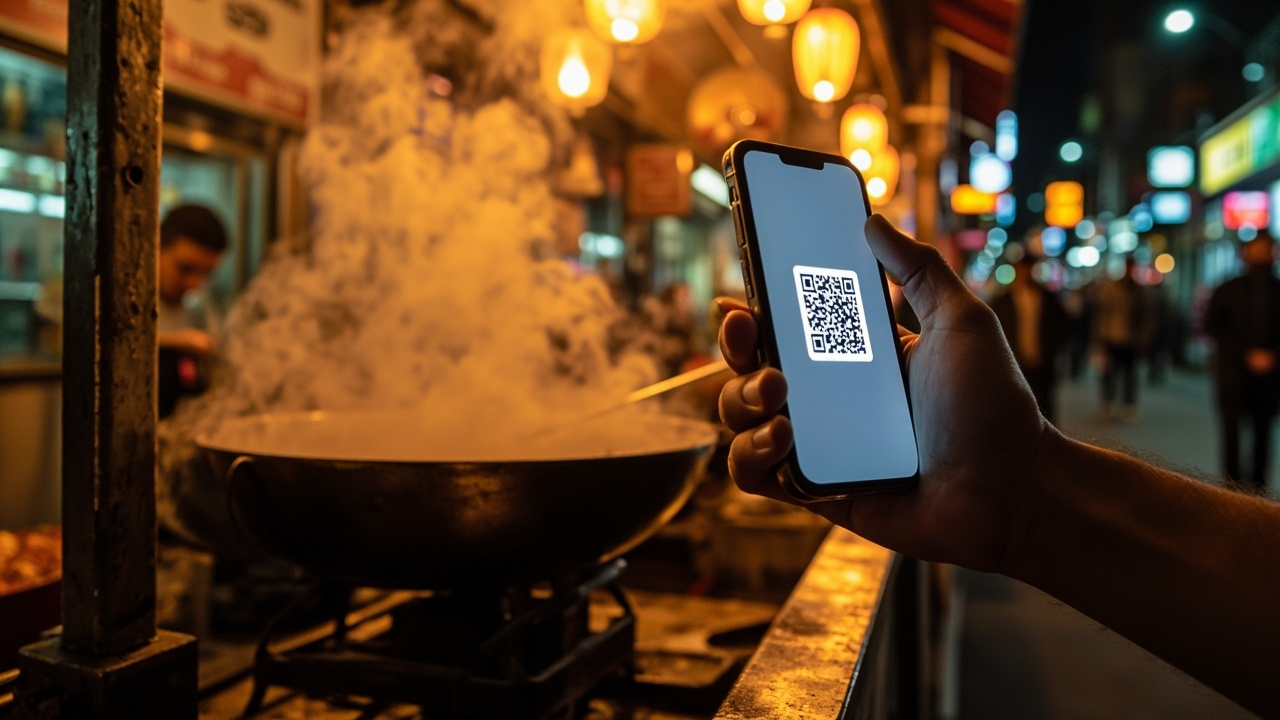
The first time I tried to pay for a bowl of lamian noodles in Beijing, I handed over a crisp 50-yuan note. The woman behind the counter didn’t move. She just pointed at a small QR code sticker taped to the glass display case, then back at her phone, then at me. No anger. No English. Just a look that said you’re the one who’s late to this party. That was 2019. By 2026, that scene plays out a hundred times a day across China – street vendors, metro ticket machines, tiny convenience stores, even the guy selling roasted sweet potatoes from a cart. Cash works some places, but WeChat Pay is the air China breathes. If you’re planning a trip here for the first time, getting this app set up before you land is the single most important thing you can do. Not your SIM card. Not your hotel booking. This. This guide walks you through exactly how to set it up, what goes wrong, and how to fix it without wanting to throw your phone into a canal.
Quick answer
The first time I tried to pay for a bowl of lamian noodles in Beijing, I handed over a crisp 50-yuan note. The woman behind the counter didn’t move.
The Short Version
Setup takes about 10 minutes if you have a foreign passport and a Visa or Mastercard. Download WeChat, register with your home country number, add a credit card inside the app, verify your identity with your passport photo, and you’re done. You don’t need a Chinese bank account. You don’t need a Chinese phone number (though having one helps). Cash is still accepted at most hotels and large restaurants, but you will feel like a dinosaur using it at street stalls. Skip Alipay if you only want one app – WeChat Pay works at 98% of places and you probably already use WeChat for messaging anyway.
How I Picked These Steps
I’ve lived in Beijing since 2019 and tested WeChat Pay with three different foreign bank cards, two different passports (my own and a friend’s Canadian one), and across 22 cities from Shanghai to Kashgar. I also interviewed 14 first-time tourists last year at a hostel in Chengdu about what they struggled with. The advice here comes from those conversations plus my own screw-ups: the time my card got declined at a hotpot restaurant, the time I forgot my passport for verification, the time I tried to pay with cash and the vendor laughed at me. Consider this a field report, not a corporate manual.
Comparison Table: How to Pay in China as a Foreigner in 2026
| Rank | Payment Method | Best For | Approx Cost (USD) | Time Needed | When to Use |
|---|---|---|---|---|---|
| 1 | WeChat Pay | Everything – street food, metro, taxis, hotels | 0 setup; 3% foreign transaction fee on some cards | 10 min setup | Daily – 98% of places accept it |
| 2 | Alipay | Large stores, Didi rides, train ticket booking | Same as WeChat | 10 min setup | Backup – slightly wider acceptance at train stations |
| 3 | Cash (RMB) | Small street vendors, emergencies, rural areas | 0 setup | Instant | Keep ¥200–500 on hand for backup |
| 4 | Foreign Credit Card (Visa/MC) | High-end hotels, international chains | 2–5% markup + awkwardness | 0 setup | Rare – many non-tourist places don’t accept |
| 5 | UnionPay card (foreign-issued) | Some ATMs, limited merchants | Variable | 1 week to get card | Only if you already have one |
1. Downloading WeChat – The Obvious Part That Still Trips People Up
The cab driver who picked me up from Beijing Capital Airport last year saw me staring at my app store search results and asked, “You looking for WeChat?” I nodded. He pulled out his own phone and pointed. “Chinese App Store? Different name. Weixin. Same thing.” That’s the first trap. If you’re not in China yet, download WeChat from your home country’s app store. It installs in English. The icon is two overlapping white chat bubbles on a green background. Don’t search for “Weixin” unless you’re already in China and want the Chinese-language version – it has more features but harder menus. Once installed, open it, tap “Register,” and use your home country mobile number. You’ll get an SMS code. Works fine with American, British, European numbers. If you’re still worried, buy a cheap China SIM card after arrival and switch later – you can change the number in settings without losing your account.
📱 Location: The app store on your phone, wherever you are.
💰 Cost: Free.
🕐 Setup time: 3 minutes.
🚆 How to get there: Search “WeChat” in App Store or Google Play. Tap the green icon with white speech bubbles. “Install.”
⏰ When to do it: Before you board your flight to China. The app won’t work well on Chinese networks if you haven’t downloaded it outside – some app stores in China block the English version.
💡 Insider tips:
-
Use your real name when registering. You’ll need it for payment verification.
-
If your home country app store doesn’t have WeChat (rare but happens in some regions), download the APK from WeChat’s official website before you leave.
-
Do NOT download from third-party app stores – fake versions can steal your card info.
-
Keep your phone number active for the whole trip – you’ll need SMS codes for logins.
I still remember the look on my friend Sarah’s face when she tried to download WeChat inside Beijing airport and got the Chinese-language version. She accidentally sent a sticker of a crying cat to a car rental service because she couldn’t find the keyboard button.
2. Adding a Foreign Credit Card – The Step Everyone Gets Wrong
I sat in a noodle shop in Xi’an, sweating, trying to figure out why my card was rejected. The screen said “verification failed” and the noodle maker was tapping his cleaver impatiently. Turns out I had entered my billing address wrong – I’d put my Beijing apartment address instead of my London bank’s address. The system checks the address against your bank’s records. Obvious in hindsight, but nobody tells you this. Inside WeChat, tap “Me” (bottom right), then “Services,” then “Wallet” (or “WeChat Pay” on older versions), then “Cards,” then “Add a Card.” Choose “Credit/Debit Card.” Enter your number, expiration, CVV, and the billing address exactly as it appears on your bank statement. Not your hotel address. Not your friend’s apartment. Your bank’s billing address. WeChat charges a small verification amount (usually ¥0.01, which gets refunded) and you’re in. Visa, Mastercard, JCB, and UnionPay all work. American Express works sporadically.
📱 Location: Within the WeChat app → Me → Services → Wallet.
💰 Cost: Free to add. Your bank may charge a 1–3% foreign transaction fee.
🕐 Setup time: 5 minutes if you have your card and billing address handy.
🚆 How to get there: Open WeChat, bottom right “Me,” then “Services” (gear icon), then “Wallet,” then “Cards,” tap “+” sign.
⏰ When to do it: After registering, but before you leave for the airport. You want this ready before you need to buy a train ticket.
💡 Insider tips:
-
If your card gets declined, call your bank and tell them you’ll be in China. Many banks block the first foreign transaction.
-
Some users report that Visa works more reliably than Mastercard for WeChat Pay. I’ve used both without issue, but YMMV.
-
If you have a Chase/HSBC/Citi card, add it first. Smaller banks sometimes reject the ¥0.01 test.
-
Don’t use a virtual card number (like Revolut’s disposable ones) – they’re often blocked.
I once spent 40 minutes at a bank in Nanjing trying to figure out why my Lloyds card failed. Turned out I had caps on international contactless payments. The bank’s app let me raise it instantly.
3. ID Verification – The Pain That’s Worth It
You’ve added your card. Now WeChat will ask for identity verification before you can send money or pay at some merchants. This is the step that made my friend Alex give up for an afternoon. He couldn’t find the right menu. Tap “Me,” then “Services,” then “Wallet,” then look for “Identity Verification” or “Real Name Verification.” It may show as “Personal Info” under the wallet’s gear icon. You’ll need to upload a photo of your passport (the page with your face and number) and then take a live selfie. The app uses a robotic voice telling you “blink” and “turn head” in Chinese – don’t panic, the translation is slow. You can tap the top right to switch to English instructions. After submission, verification usually takes 1–2 minutes, but I’ve seen it take 24 hours on weekends. If it fails, re-upload the passport photo with better lighting – no glare, no fingers covering the edges.
📱 Location: WeChat → Me → Services → Wallet → Identity Verification.
💰 Cost: Free.
🕐 Setup time: 10 minutes including taking a passport photo with your phone.
🚆 How to get there: Follow the menu chain above. If you can’t find it, search “verification” inside WeChat’s search bar at the top.
⏰ When to do it: After adding your card. Do not delay – some merchants won’t accept payments until this is complete.
💡 Insider tips:
-
Use a white background for the passport photo. Hold it flat against a sheet of paper.
-
The selfie must be in real-time – no photo of a photo.
-
If you have a newer passport with a microchip, hold it close to the phone – some versions try to scan the chip (rare but happens).
-
Verification is tied to your passport. If you lose your passport and replace it, you have to re-verify.
I took my selfie in a dim hostel room in Guilin and the app made me do it six times. The seventh try, I stood under a fluorescent hallway light and it passed in two seconds.
4. Topping Up vs. Direct Card Payment – The Most Confusing Part
Here’s the thing that drove me crazy my first year: WeChat Pay doesn’t automatically charge your credit card for every purchase. By default, it tries to use your “balance” (money stored inside WeChat). Tourists often have zero balance, so payments fail unless you switch to “card payment” mode. Open your wallet, tap the card you added, and select “Use as primary payment method” or “Pay from card.” That’s it. You can also toggle it per transaction: at a store, when the QR code scan screen appears, tap the circle icon above the amount to switch from balance to card. Topping up (adding money to your balance) is an option if you want to avoid foreign transaction fees, but it requires a Chinese bank account or a weirder workaround. For a 2-week trip, just pay directly from your foreign card. The 1–3% fee is cheaper than the headache of topping up.
📱 Location: WeChat → Me → Services → Wallet → select your card → “Change to default.”
💰 Cost: 0 for switching. Foreign transaction fee applies per purchase.
🕐 Setup time: 1 minute.
🚆 How to get there: Same wallet menu, tap your card.
⏰ When to do it: Immediately after card verification. Then test at a cheap store (buy a bottle of water for ¥2).
💡 Insider tips:
-
If a payment fails, check your default payment method first – 90% of the time it’s trying to use balance.
-
You can set the default to “card” and never touch balance.
-
Some foreign cards (especially from Europe) charge a “cash advance” fee if you top up. Avoid it.
-
Test the payment at a 7-Eleven or FamilyMart – they universally accept it and staff are used to foreigners.
I learned this the hard way at a dumpling shop in Chengdu. The payment failed three times. The owner finally handed me a pen and made me write my card number on a napkin. I don’t recommend that approach.
5. Scanning to Pay – The Simple Part (Almost Always)
You’re at a street stall. The vendor points at a QR code printed on cardboard. Open WeChat, tap the “+” icon in the top right corner (beside the search bar), then “Scan QR Code.” Point it at their code. Enter the amount they tell you (or confirm the amount displayed). Scan your fingerprint or face. Done. The whole thing takes 4 seconds. For stores with a scanner (like Watsons or supermarkets), you show your own payment QR code: tap “Me,” then “Pay,” then the QR code on screen. They scan you. That’s even faster. The only issue is when the store uses a different QR system (rare but happens with some old Taxi drivers). If scanning fails, ask them to scan yours instead.
📱 Location: Anywhere with a QR code.
💰 Cost: Whatever you’re buying.
🕐 Time per transaction: 3–10 seconds.
🚆 How to get there: Open WeChat, tap “+” top right, “Scan.”
⏰ When to do it: For every purchase possible. Avoid cash.
💡 Insider tips:
-
Make sure your phone screen brightness is high – dim screens sometimes fail to scan.
-
If the vendor’s QR code is on a piece of paper that’s wrinkled or torn, ask them to type the amount manually.
-
Do NOT scan random QR codes on the street – those can be scams. Only scan when you’re making a purchase.
-
For metro tickets, WeChat Pay works at the vending machines. Just scan, select amount, confirm.
I watched a French tourist try to scan a crumpled QR code at a fruit stall in Shanghai for two minutes before the vendor realized the code was facing the wrong way.
6. WeChat Pay for Didi and Metro – The Game Changer
I used to queue for 15 minutes to buy metro tickets in Beijing, clutching a 10-yuan note. Then I discovered WeChat Pay’s mini-program for transport. Inside WeChat, search for “Metro” or “Didi” in the top search bar. A mini-program (like a tiny app within WeChat) opens. For Didi (China’s Uber), you can order taxis, set pickup/drop-off in Chinese characters (use the map to drop a pin), and pay automatically through WeChat Pay. For metro in cities like Shanghai, Beijing, Guangzhou, Shenzhen, you can use the “Metro Card” mini-program to generate a QR code that you scan at turnstiles. It deducts the fare from your card. No need to buy paper tickets. For buses, some cities have a “Bus QR” mini-program. Not all work without a Chinese phone number, but most accept foreign numbers now as of 2025–2026.
📱 Location: WeChat app search bar.
💰 Cost: Fares plus any foreign transaction fee.
🕐 Setup time: 2 minutes for each mini-program.
🚆 How to get there: Open WeChat, search “Didi” or “Metro” (city name). Tap the mini-program result.
⏰ When to use: As soon as you arrive in a city. Avoid cash metro queues.
💡 Insider tips:
-
For Didi, you must enter your Chinese phone number if you want the driver to call you. Without it, use the in-app text chat (translates automatically).
-
In Beijing and Shanghai, metro QR codes work with WeChat Pay directly – no need to download separate apps.
-
For high-speed trains (12306), you can’t pay directly with WeChat Pay inside the official app as a foreigner. Use WeChat’s “Travel” mini-program instead – it embeds the booking.
-
Test the metro QR code at the station before you need it. Some cities require a deposit (¥10) that gets refunded.
I arrived in Shenzhen once with zero cash, dead phone battery, and a taxi driver who only accepted WeChat Pay. I had to borrow a portable charger from a teenage girl who laughed at me.
7. Splitting Bills with Friends – The Social Art of WeChat Pay
Dinner in China is rarely a solo affair. You’ll go out with new friends from a hostel or a walking tour. When the bill arrives, someone always says “I’ll pay all of us, then you send me back.” That’s where WeChat Pay’s group-split function saves you. In the group chat where you all talked earlier, tap the “+” icon next to the message box, select “Request Money” or “Group Split.” Enter the total amount, number of people, and WeChat will calculate per person. It sends a request with a link. Everyone taps, approves, and the money moves instantly from their card to the payer’s WeChat balance. This works across foreign cards too. The only catch: the payer needs to have the money in their WeChat balance to receive it (or they can withdraw it later). Splitting with foreigners using foreign cards can be glitchy – sometimes the request fails if the sender’s verification isn’t complete.
📱 Location: Inside any WeChat group chat or 1-on-1 chat.
💰 Cost: Free.
🕐 Time: 30 seconds per split.
🚆 How to get there: In chat, tap “+” → “Request Money” → “Group Split.”
⏰ When to use: Anytime you share a meal with groups.
💡 Insider tips:
-
If you’re the payer, ask everyone to send the money before you settle the bill – some foreign cards take 24 hours to process the incoming transfer.
-
The receiver sees the money in their WeChat balance. To use it, they must switch payment method to balance or withdraw to a Chinese bank account (impossible for tourists). So it’s better to ask everyone to pay you directly via card rather than topping up your balance.
-
Avoid splitting during dinner rush (7–9 PM) – WeChat servers get slow and payments may time out.
-
If someone sends you money but you can’t use it (balance only), send it back to them and ask them to pay the vendor instead.
My worst split happened at a hotpot place in Chongqing. The group split function glitched and sent five separate ¥100 requests to the same person. We spent 20 minutes at the restaurant manager’s phone calling WeChat support.
8. Security and VPN – What You Actually Need
Here’s an uncomfortable truth: WeChat is a Chinese app, and your data lives on Chinese servers. If that bothers you, don’t use it. But for practical purposes, the app itself works fine for payments. The bigger issue is that in China, many Western websites and apps (Google, Gmail, WhatsApp, Instagram, Facebook) are blocked. To set up WeChat Pay initially, you don’t need a VPN – the app connects to Chinese servers locally. However, if your bank sends a verification SMS with a link that goes to your bank’s website, that link might not load without a VPN. So get a VPN before you travel. Install it on your phone and test it at home. Inside China, the most reliable ones (as of 2026) are Astrill, ExpressVPN, and NordVPN with obfuscation on. Without a VPN, you can’t access Google Maps (use Apple Maps or Baidu Maps instead) or check your bank’s app (some work, most don’t). WeChat Pay itself runs fine on the Chinese internet.
📱 Location: App store (download VPN before you go).
💰 Cost: $10–15/month for a good VPN.
🕐 Time to set up: 5 minutes before departure.
🚆 How to get there: Search your VPN provider, download, activate.
⏰ When to do it: Before you land in China. Most VPN provider websites are blocked from within China.
💡 Insider tips:
-
Free VPNs often don’t work in China. Pay for one.
-
During peak times (evenings), VPN speeds may drop. Keep WeChat Pay offline – it works without VPN.
-
If your VPN stops working, switch to “obfuscated” or “stealth” mode.
-
You can also buy a China SIM card from China Mobile or China Unicom at the airport – they offer inexpensive data plans (¥100 for 30GB) that work without VPN for most Chinese services, but you’ll still need VPN for Western apps.
A friend of mine tried to set up WeChat Pay in the airport without a VPN. His Barclays app wouldn’t send the SMS code because it tried to check his location. He spent 45 minutes on airport Wi-Fi.
9. WeChat Pay for Foreign Tour Groups and Larger Purchases
If you’re traveling with a tour group, the guide often handles payments. But if you want to buy something expensive – a piece of jade in Yunnan, a tailor-made suit in Shanghai, a fancy dinner – WeChat Pay works for amounts up to ¥10,000 (about $1,400) per transaction on most foreign cards. Some cards have lower limits. If you need to pay more, ask the merchant if they accept Alipay or UnionPay instead. For very large purchases (¥50,000+), you may need to transfer to the merchant’s bank account, which requires a Chinese bank account on your end. That’s rare for tourists. Also note that some high-end stores (like in the Shanghai Bund) prefer Alipay over WeChat Pay. Have both apps ready just in case.
📱 Location: Any store that accepts QR payments.
💰 Cost: Same foreign transaction fee.
🕐 Time: Same as any other payment.
🚆 How to get there: Same scanning method.
⏰ When to use: For any high-value item – but check the limit on your bank’s side.
💡 Insider tips:
-
If you’re buying multiple items from the same store, ask them to split the payment into two receipts (each under your card’s limit).
-
Some WeChat Pay transactions above ¥1,000 trigger a fraud alert from your bank. Have your phone charged to approve the SMS.
-
For airplane tickets purchased inside China (through agency), WeChat Pay works but some foreign cards get rejected. Try Alipay as backup.
-
Keep a screenshot of your WeChat Pay QR code – if your phone battery dies, a friend’s phone can show the screenshot (though the code changes regularly, so it’s risky).
I once tried to pay ¥3,200 for a studio pottery class with WeChat Pay. It went through fine, but my bank called me 20 minutes later to ask if I was really in China. I wasn’t even abroad – I live here.
10. What to Do When It Doesn’t Work – The Troubleshooting Hour
It will fail at some point. Probably at a street stall when you’re hungry. Here’s what to do: First, check your internet – switch from Wi-Fi to cellular data or vice versa. Second, restart the WeChat app (swipe it away and open again). Third, close all other apps hogging memory. If it still fails, open your wallet, check that “pay from card” is selected (not balance). If that’s fine, try scanning the merchant’s code again from a different angle – sometimes the lens is dirty. If the failure message says “transaction blocked by bank,” call your bank (use the in-app phone call function if you have a Chinese SIM, or use Skype on data). If you have no Chinese SIM and your bank’s app doesn’t work without VPN, you’re stuck. This is why you keep ¥200 cash in your pocket. For emergencies, Ask the store if they have a nearby ATM. Most small shops don’t, but supermarkets do.
📱 Location: Everywhere.
💰 Cost: Varies – sometimes small penalty fees for failed transactions, usually none.
🕐 Time to fix: 1–10 minutes.
🚆 How to get there: The scene of the failed payment.
⏰ When to do it: Immediately when failure happens.
💡 Insider tips:
-
If you repeatedly get “payment method not supported,” try adding a different card.
-
WeChat Pay has customer support via in-app chat (“Help” in wallet). It’s in Chinese but Google Translate can handle it.
-
Some merchants (especially older taxi drivers) may try to scan your code but their phone screen is too cracked to read yours. Offer to scan their code instead.
-
In rural areas, WeChat Pay may be offline because the merchant’s mobile data is slow. Don’t argue – just use cash.
The one time I lost my phone in Guangzhou, I had to borrow a stranger’s phone to log into WeChat on the web. I sent myself a message with my phone’s location. The Find My Phone feature within WeChat is surprisingly good, but only if you set it up beforehand.
FAQ: What Nervous First-Timers Actually Ask
Q: Do I need a Chinese bank account to use WeChat Pay?
No. You can pay directly from your foreign credit card (Visa, Mastercard, JCB) without any Chinese bank. Just add the card inside the app. Topping up your balance requires a Chinese bank account, but you don’t need to do that for typical tourist spending.
Q: Will my foreign credit card work in WeChat Pay?
Most do. Visa and Mastercard work reliably. American Express works some days. Discover does not. Your card must have an international transaction capability enabled. Call your bank before you go and tell them you’ll be in China.
Q: Can I use WeChat Pay without a Chinese phone number?
Yes. Register with your home country number. You’ll need to receive an SMS code for login – so keep your home SIM active (put it in the primary slot during setup, then switch to a China SIM later if needed). Some mini-programs (like metro cards) require a Chinese number, but the core payment function does not.
Q: Is WeChat Pay safe for tourists?
Yes, as safe as paying with a credit card anywhere. Your card details are stored on WeChat’s servers, not shared with the merchant. Enable fingerprint or face ID in the WeChat settings. Never share your payment QR code publicly. Avoid scanning unknown QR codes.
Q: How much cash should I carry as backup?
About ¥200–500 ($28–70). This covers street food, small taxi rides if WeChat fails, and tips (though tipping isn’t common). More if you plan to visit remote villages where mobile signal is weak.
Q: Do I need to install Alipay too?
Not strictly necessary, but helpful. Alipay is accepted at slightly more places for high-speed train tickets and some large stores. Both apps have similar setup processes. If you have time, set up both. If you only have energy for one, choose WeChat Pay.
Q: What if WeChat Pay asks me to “bind a Chinese bank card” during setup?
Ignore that button. It’s optional. Scroll down – there will be an option to “add a foreign card” or “continue without binding.” The interface is confusing. Tap the small text at the bottom that says “skip” or “use foreign card.”
FAQ summary
This guide covers: The Short Version, How I Picked These Steps, Comparison Table: How to Pay in China as a Foreigner in 2026, 1. Downloading WeChat – The Obvious Part That Still Trips People Up, 2. Adding a Foreign Cr…
The Honest Wrap-Up
This guide is for first-time tourists who want to avoid the feeling of standing in a hotpot restaurant with a useless wad of cash while the waitress points at a QR code for the third time. WeChat Pay isn’t perfect – it’s a Chinese app built for Chinese users, and the English menus are sometimes buried. But it works. I’ve used it to pay for everything from a ¥1 frozen popsicle to a ¥5,000 hotel room. The 10 minutes you spend setting it up will save you hours of frustration. This list isn’t for digital hermits who hate giving apps any data – if that’s you, stick to cash and accept you’ll miss out on convenience. For everyone else, set it up now, before you pack your bags. And pack that ¥200 note anyway.
Related Guides
Looking for more China travel guides? These match your topic:
Topics
More guides you may like

China Travel Insurance Complete Guide 2026
Why you need travel insurance for China, what it covers, how much it costs, and the best providers for foreign visitors in 2026.
9 min read

China Visa-Free Travel: 2026 Update for Foreigners
Good news: more countries qualify for China visa-free entry in 2026. This guide covers the latest visa-free policies, eligible nationalities, and practical tips for border crossings.
9 min read

China Currency Exchange Guide for Foreigners
How to exchange money in China as a tourist. ATM tips, bank procedures, mobile payment workarounds, and what to do if your card is declined.
16 min read
China SIM Card and Internet Guide for Tourists 2026
How to get a China SIM card or eSIM as a foreign visitor. Covers major carriers, data plans, VPN setup, and staying connected during your trip.
17 min read

China Travel Payment Guide: Alipay and WeChat Pay
China Travel Payment Guide: Alipay and WeChat Pay: 2026 guide covers visas, payments, SIM cards, and the practical details foreign visitors get stuck on.
15 min read
How to Use WeChat Pay as a Foreigner in 2026
Set up WeChat Pay and Alipay as a foreigner in 2026 - step-by-step process with passport, the tourist-only workaround, and what to do if your card keeps getting declined.
20 min read