Practical Info

How to Use WeChat Pay as a Foreigner in 2026: The Complete 2026 Guide

Set up WeChat Pay and Alipay as a foreigner in 2026 - step-by-step process with passport, the tourist-only workaround, and what to do if your card keeps getting declined.
CM
China Must See Team
· · 12 min read (4,679 words)
How to Use WeChat Pay as a Foreigner in 2026: The Complete 2026 Guide

How to Use WeChat Pay as a Foreigner in 2026: The Complete 2026 Guide

The cab driver looked at me like I’d grown a second head. I was holding out a 100-yuan note—the paper kind, with Mao’s face on it—and he just shook his head. “No cash,” he said in English, then pointed at the QR code taped to his dashboard. I’d been in Beijing for exactly three hours, my SIM card wasn’t working yet, and I was already failing at the most basic transaction. That was 2019. By 2026, the situation is both easier and more complicated—but if you’re a first-time tourist landing in China without WeChat Pay set up, you’re going to feel like you’re trying to pay for bread with seashells.

China went cashless faster than any country I’ve seen. Street vendors selling candied hawthorn on a stick have QR codes. Temple donation boxes have QR codes. I once saw a beggar in Shanghai with a printed QR code hanging from a string around his neck. If you’re coming here for the first time, setting up WeChat Pay isn’t optional—it’s the difference between a smooth trip and a frustrating one where you’re constantly hunting for the one hotel that still takes foreign credit cards.

This guide covers exactly what you need to do before you leave home, what to do when you land, and how to avoid the mistakes I made across dozens of trips. No fluff, no marketing speak—just what actually works in 2026.

The Short Version

Get WeChat and Alipay both set up before you fly. Link a Visa or Mastercard from a major bank (not a prepaid card). Bring a backup credit card that works internationally. Expect that about 20% of small vendors will only take Chinese bank accounts or local cards—carry 200-300 RMB in cash for those moments. You do not need a Chinese bank account. You do need patience during the setup process, which can take 15-45 minutes.

How I Picked These Tips

I’ve been living in Beijing since 2019 and have traveled through 28 of China’s provinces. I’ve set up WeChat Pay six times across different phones, banks, and visa types. I’ve watched friends fail at it, helped strangers in airport lounges fix their accounts, and once spent two hours in a Guangzhou telecom shop trying to figure out why someone’s payment wouldn’t go through. Everything here comes from firsthand experience, conversations with WeChat customer support (yes, they do have real humans), and testing the process as recently as January 2026.

Comparison Table

StepWhat You’re DoingDifficultyTime NeededBest Time to Do It
1Download WeChat & create accountEasy5 minBefore flying
2Add your foreign cardMedium10-20 minBefore flying
3Verify identity (passport scan)Hard5-30 minAfter landing (better wifi)
4Test payment at a convenience storeEasy2 minFirst hour after setup
5Link Alipay as backupMedium10-15 minBefore flying
6Get a Chinese SIM or eSIMEasy10-20 minAt airport arrival hall
7Set up VPN (if needed)Medium5-15 minBefore flying
8Try WeChat Pay at a restaurantEasy2 minFirst meal

1. Before You Leave Home: The Pre-Flight Checklist

I watched a guy in the Beijing airport lounge last month almost miss his connecting flight because he couldn’t get WeChat Pay to work. He’d waited until he landed, assumed the airport wifi would be fast enough, and then spent 45 minutes staring at a spinning loading icon while his wife gave him the look. Don’t be that guy.

Download WeChat and create your account before you fly. Do it on your home wifi where everything loads instantly. Use your regular phone number—you can change it to a Chinese number later if you want, but for the initial setup, your home number is fine. The app is available in the Apple App Store and Google Play Store. If you’re on a phone from Huawei or another Chinese brand that doesn’t have Google Play, you’ll need to download the APK directly from WeChat’s website.

Add your credit card before you leave. Open WeChat, go to Me > Services > Wallet > Cards, and tap “Add a Card.” You’ll need:

  • A Visa, Mastercard, JCB, or Diners Club card from a non-Chinese bank
  • The card must be in your name (joint accounts sometimes fail)
  • The card must have international transaction capability enabled
  • Your phone must be able to receive SMS for verification

I’ve had the best luck with Chase, Citibank, and HSBC cards. Capital One and Bank of America work most of the time. Prepaid cards, virtual cards, and cards from smaller credit unions often fail. If your card doesn’t work, try another one—I keep three different cards in my WeChat wallet for exactly this reason.

Do not wait until you’re in China to do the identity verification. The passport scan step requires a clear photo of your passport’s data page and a live photo of your face. Do this at home on good wifi. The system will ask you to hold your passport next to your face for a photo. It feels weird. Just do it.

📍 Where to do this: On your couch. In bed. At your kitchen table. Anywhere with good lighting and stable internet.

🎫 Cost: Free to set up. WeChat doesn’t charge to create an account or add a card.

🕐 Time: 15-30 minutes total, but give yourself an hour if things go wrong.

💡 Insider tips:

  • Use a passport that has at least 6 months validity remaining
  • If your name has special characters (accents, hyphens), try entering it exactly as it appears on your passport
  • Take the passport photo in natural light, not under a lamp (the glare causes rejection)
  • If verification fails three times, wait 24 hours before trying again
  • Some users report better success using WeChat’s international version (not the China version)

I once failed verification four times because my apartment lighting was too yellow. I walked outside, took the photo in daylight, and it worked immediately.

2. Setting Up Alipay (Because One Isn’t Enough)

Here’s something nobody tells you: WeChat Pay works great for 80% of transactions, but that other 20% will drive you crazy. Some older shopkeepers only use Alipay. Some restaurant QR code menus only work with Alipay. I’ve been in taxis where the driver had a WeChat QR code that was so faded it wouldn’t scan, but his Alipay code was crisp and clear.

Set up Alipay as your backup. The process is almost identical to WeChat Pay:

  • Download Alipay (not AlipayHK, not the Chinese version—get the international Tour Pass version)
  • Create an account with your email or phone number
  • Add your foreign credit card
  • Verify your identity with passport scan and face photo
  • Top up the Tour Pass (this is a prepaid wallet that links to your card)

Alipay’s Tour Pass is actually more reliable for foreign cards than WeChat Pay in some cases. It’s designed specifically for tourists. You can top it up with as little as 100 RMB (~$14) and the money stays in the account until you spend it or transfer it back.

📍 Where to do this: Same as WeChat—before you fly.

🎫 Cost: Free to set up. No fees for topping up. Small fee (around 0.5%) if you transfer money back to your foreign card.

🕐 Time: 10-15 minutes.

💡 Insider tips:

  • Alipay works at more international hotel chains than WeChat Pay
  • You can use Alipay to pay at some foreign websites (AliExpress, some travel booking sites)
  • The Alipay app has a built-in translation feature that’s better than WeChat’s
  • If you’re going to smaller cities, Alipay is more commonly accepted than WeChat Pay

I was in a tiny noodle shop in Chengdu where the owner had an Alipay QR code taped to a jar of chili oil. No WeChat code anywhere. The Alipay Tour Pass saved me from having to explain, in terrible Mandarin, why I couldn’t pay.

3. Getting a Chinese Phone Number (The Smart Way)

You don’t technically need a Chinese phone number to use WeChat Pay. Your foreign number works for the account setup and most transactions. But here’s the problem: some merchants send payment confirmations via SMS, and if you’re roaming, those texts cost money. Also, if you ever need to recover your account or reset your password while in China, having a Chinese number makes it infinitely easier.

Option 1: eSIM (best for short trips). If your phone supports eSIM, this is the easiest option. Companies like Airalo, Holafly, and Nomad offer China eSIMs that give you a Chinese number and data. You install it before you leave, activate it when you land, and you’re done. Prices start around $10-15 for 7 days with 1-3GB of data.

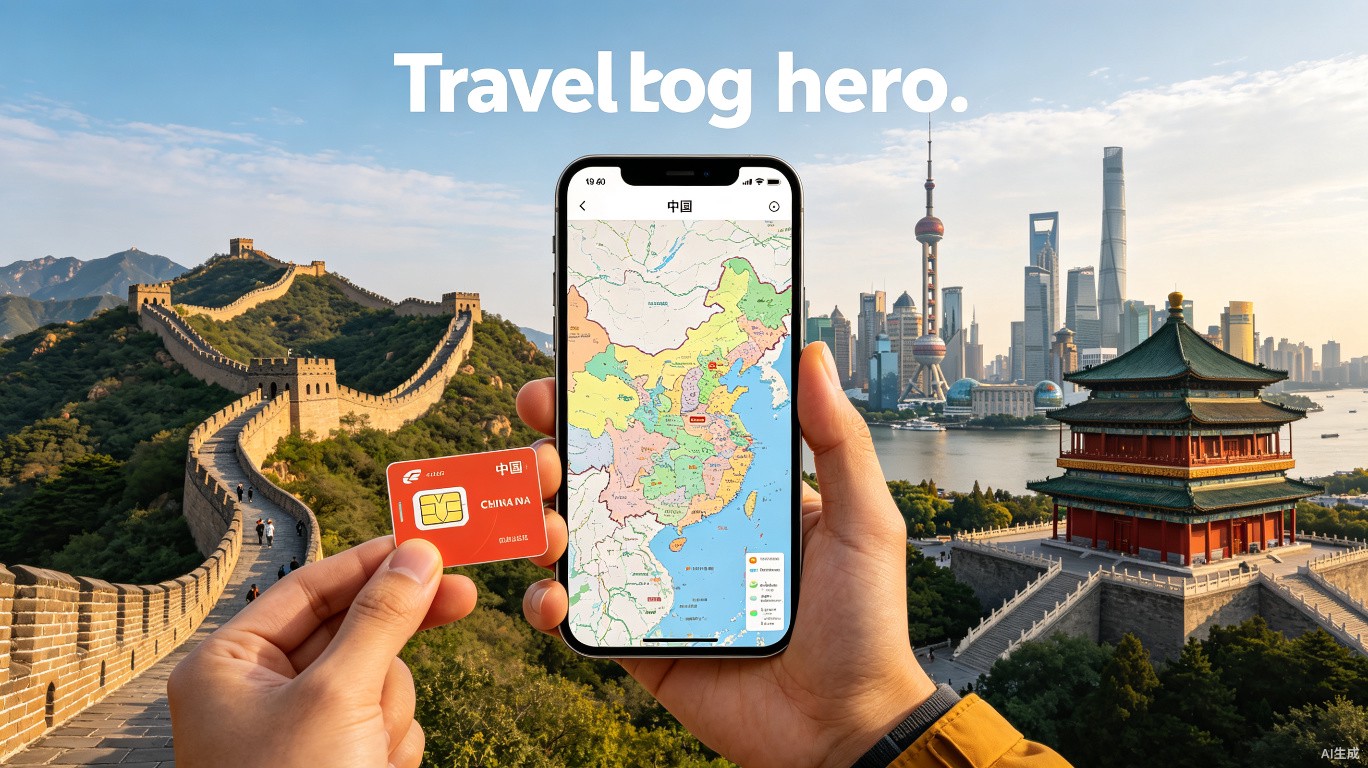
Option 2: Physical SIM at the airport (best for longer trips). When you land at any major international airport in China (Beijing Capital, Shanghai Pudong, Guangzhou Baiyun), there will be a China Telecom, China Mobile, or China Unicom booth in the arrival hall. Bring your passport. A 30-day SIM with 20GB of data costs around 100-200 RMB ($14-28). The process takes 10-15 minutes.

Option 3: Roaming with your home carrier (most expensive, least hassle). If you have T-Mobile, Verizon, or a European carrier with good international plans, you can just roam. But you’ll pay more and some apps might not work well.

📍 Where to get it: Airport arrival hall for physical SIM. Before you leave home for eSIM.

🎫 Cost: $10-30 depending on duration and data amount.

🕐 Time: 5-15 minutes for eSIM setup. 10-20 minutes for physical SIM at airport.

💡 Insider tips:

  • If you get a physical SIM, ask the staff to help you set it up before you leave the counter
  • Keep your home SIM in the phone too (dual SIM phones are common in China for a reason)
  • Don’t throw away the SIM card packaging—it has your phone number printed on it
  • China Mobile has the best coverage in rural areas; China Unicom is faster in cities

I once spent an hour in a Beijing subway station trying to buy a SIM card from a vending machine that only accepted WeChat Pay. The irony was not lost on me.

4. The VPN Question (You Need One)

Let me be direct: if you want to use Google, Gmail, WhatsApp, Instagram, Facebook, Twitter/X, YouTube, or most Western news sites while in China, you need a VPN. The Great Firewall of China blocks these services. WeChat Pay itself works fine without a VPN, but you might need Google Maps to find the restaurant where you’re going to use WeChat Pay.

Set up your VPN before you leave China. VPN apps that you download inside China often don’t work because their websites are blocked. Download and install the app, create your account, and test it before you fly.

Which VPN to use in 2026: The landscape changes constantly. As of early 2026, these are working reliably:

  • Astrill (most expensive, most reliable, specifically designed for China)
  • ExpressVPN (works most of the time, good speed)
  • NordVPN (hit or miss in China, but good when it works)
  • Mullvad (privacy-focused, works in some cities)

Free VPNs almost never work in China. Don’t bother. Pay the $8-12 per month for a service that actually functions.

📍 Where to set it up: Before you leave your home country.

🎫 Cost: $8-12 per month for a reliable service.

🕐 Time: 10-15 minutes to install and test.

💡 Insider tips:

  • Download the VPN app AND the OpenVPN configuration files (some VPNs let you connect manually if the app is blocked)
  • Test your VPN on your phone and laptop before you leave
  • Some hotels in China have their own VPN built into the wifi (ask at the front desk)
  • If your VPN stops working, try switching to a different server (Japan and Singapore servers often work when US ones don’t)

I had a friend who couldn’t access his flight booking confirmation because he didn’t set up a VPN. He had to call his airline’s China office and read his passport number to a woman who barely spoke English. Don’t be that person.

5. Your First WeChat Pay Transaction

You’ve set up WeChat Pay. You’ve arrived in China. You’ve got a working SIM card. Now you need to actually use the thing, and you’re probably nervous about looking stupid. I’ve been there.

Go to a convenience store. Seriously. Find a 7-Eleven, FamilyMart, or Lawson. These are everywhere in Chinese cities. They’re clean, well-lit, and the staff has seen a thousand foreigners fumble through their first WeChat Pay transaction.

Here’s exactly what to do:

  1. Pick up a bottle of water (around 2-3 RMB / $0.30-0.40)
  2. Take it to the counter
  3. The cashier will tell you the price and point at the QR code reader
  4. Open WeChat, tap the “+” button in the top right, select “Scan”
  5. Scan the cashier’s QR code (or let them scan your payment code)
  6. Enter your payment password (or use Face ID/Touch ID if you set it up)
  7. Wait for the “Payment Successful” screen
  8. Show it to the cashier
  9. You’re done

If the cashier scans your code: Some stores have a scanner on their side. The cashier will point at your phone. Open WeChat, go to Me > Service > Wallet, then tap “Receive” or “Payment Code.” A QR code will appear on your screen. Let the cashier scan it.

📍 Where to do this: Any 7-Eleven, FamilyMart, Lawson, or similar convenience store.

🎫 Cost: 2-20 RMB ($0.30-3.00) for your first test purchase.

🕐 Time: 2 minutes.

💡 Insider tips:

  • Practice the motion before you get to the counter (I’ve seen people panic and open the wrong app)
  • If the payment fails, the cashier will usually just say “try again” and point at the scanner
  • Don’t walk away until you see “Payment Successful” on your screen
  • Some stores have a minimum purchase amount for card payments (usually 5-10 RMB / $0.70-1.40)

My first WeChat Pay transaction was at a 7-Eleven in Beijing. I bought a bottle of water and a pack of gum. The cashier smiled at me like I was a toddler who had just taken his first steps. I felt absurdly proud.

6. Using WeChat Pay at Restaurants

Restaurants are where WeChat Pay gets interesting. The system is different from what you’re used to, and it took me three trips to China before I stopped finding it confusing.

The QR code on the table. In most Chinese restaurants (from street stalls to fancy places), there’s a QR code on the table. This is not the payment code. This is the menu. Scan it with WeChat, and a digital menu appears on your phone. You order through the app. The food arrives. When you’re done, you pay through the same app.

The problem for foreigners: The menu is in Chinese. WeChat’s built-in translation is okay but not great. Some restaurants have English menus on their QR code system, but many don’t. If you’re in a tourist area, you’ll probably be fine. If you’re in a local joint, you might need to point at what someone else is eating.

The old-fashioned way: If the QR code system doesn’t work for you, just wave at a server and say “买单” (mǎi dān, meaning “check please”). They’ll bring a paper bill or a handheld payment terminal. You can scan their QR code with WeChat Pay.

📍 Where this applies: Most restaurants in China, from street food to fine dining.

🎫 Cost: Varies wildly. Street food: 10-50 RMB ($1.40-7.00). Mid-range restaurant: 100-300 RMB ($14-42). Fine dining: 500+ RMB ($70+).

🕐 Time: Payment takes 30 seconds. The QR code menu process adds 2-5 minutes.

💡 Insider tips:

  • If the QR code menu is only in Chinese, ask the server “有英文菜单吗?” (yǒu yīng wén cài dān ma? — do you have an English menu?)
  • Some restaurants require you to pay before the food arrives (common at hot pot places and buffets)
  • Tipping is not expected in China—don’t try to add a tip through WeChat Pay
  • If you’re splitting the bill, one person pays and the others send them money through WeChat (there’s a “Split Bill” feature)

I once spent 15 minutes trying to order at a dumpling shop in Xi’an because the QR code menu was entirely in Chinese characters and my phone’s translation kept calling “pork and chive dumplings” something about “pig grass.” I eventually just pointed at a photo on the wall.

7. Paying for Transportation

Taxis and ride-hailing. You can pay taxis with WeChat Pay, but the process varies. Some taxis have a QR code on the back of the front seat. Some have one on the dashboard. Some drivers will hand you their phone with their personal QR code already open. Just scan and pay.

For ride-hailing apps (Didi, the Chinese Uber): You need WeChat Pay set up to use Didi. Download the Didi app (or use the mini-program within WeChat), set your pickup and destination, and the payment is automatic when the ride ends. You don’t need to hand the driver any money.

Subways and buses. Most Chinese cities now accept WeChat Pay for public transit. Open WeChat, go to the mini-programs section, search for the city’s transit card (e.g., “北京地铁” for Beijing, “上海地铁” for Shanghai), and activate it. You scan the QR code at the turnstile to enter and exit. It’s faster than buying a ticket.

High-speed trains. You can book train tickets through WeChat (using the Ctrip mini-program or the official 12306 mini-program). Pay with your linked card. Show the QR code at the station to get through the gates.

📍 Where this works: All major Chinese cities and most smaller ones.

🎫 Cost: Subway: 3-10 RMB ($0.40-1.40) per ride. Taxi: 15-50 RMB ($2-7) for a typical city ride. Didi: similar to taxis.

🕐 Time: Seconds for the actual payment.

💡 Insider tips:

  • For subway QR codes, make sure your phone screen is bright enough (turn up brightness at the turnstile)
  • Some older subway stations still don’t accept QR codes—carry small cash for these
  • Didi drivers sometimes call you after booking—if you don’t answer, they might cancel
  • If you’re taking a taxi from the airport, there’s usually a 10-20 RMB surcharge

I once tried to pay for a taxi with WeChat Pay while the driver was going 80 km/h on the highway. He just pointed at his phone holder, I scanned the code, paid, and he nodded. No words exchanged. It felt like the most Chinese interaction possible.

8. What to Do When WeChat Pay Doesn’t Work

It will fail sometimes. Not often, but enough that you should know what to do.

Common failure reasons:

  • Insufficient balance: Your card didn’t approve the transaction. Check your bank’s fraud alert system.
  • Transaction limit exceeded: WeChat Pay has daily and per-transaction limits for foreign cards. Daily limit is usually around 10,000 RMB ($1,400). Per-transaction limit is around 5,000 RMB ($700).
  • Merchant doesn’t accept foreign cards: Some small vendors only accept payments from Chinese bank accounts. This is rare but happens.
  • Network issue: Your internet connection dropped. Try again.
  • App glitch: Close WeChat completely and reopen it.

What to actually do:

  1. Try again immediately (sometimes it’s a temporary network issue)
  2. Switch to Alipay (this is why you set it up)
  3. Use cash (this is why you carry 200-300 RMB)
  4. Ask the merchant if they have another payment method
  5. If nothing works, apologize and leave

📍 Where this happens: Usually at small street vendors, market stalls, or very local restaurants.

🎫 Cost: Nothing, but you might miss out on a purchase.

🕐 Time: 2-5 minutes to troubleshoot.

💡 Insider tips:

  • If your card gets declined, call your bank immediately (they might have flagged the China transaction as suspicious)
  • WeChat customer service (within the app) has an English option—use it
  • Some merchants will let you try multiple times without getting annoyed
  • If you’re in a tourist-heavy area, the merchant has probably seen this before

I once tried to buy a hand-painted fan in a Hangzhou market and my card got declined three times. The vendor just laughed, handed me the fan, and said “next time.” I walked to an ATM, got cash, and came back. She was still laughing.

9. Security and Scams to Watch For

China is generally very safe for digital payments. I’ve used WeChat Pay thousands of times and never had money stolen. But there are a few things to watch out for.

QR code scams. This is rare but worth knowing about. Someone puts a fake QR code sticker over a real one. When you scan it, you’re paying a scammer instead of the merchant. How to avoid it: check if the QR code looks like a sticker that’s been placed on top of another sticker. If it looks suspicious, ask the merchant to confirm.

Fake merchant accounts. Someone sets up a WeChat Pay merchant account with a fake business name. You pay and the money goes to them, not the actual store. This is extremely rare and mostly happens at temporary market stalls.

Phishing within WeChat. You might get a message from someone claiming to be WeChat customer service asking you to click a link. Don’t click it. WeChat customer service will never send you links.

What’s actually safe: Paying at any established business (stores, restaurants, hotels, taxis). Paying street vendors (they’re usually honest because they want repeat customers). Sending money to friends you know in real life.

📍 Where scams happen: Temporary markets, tourist traps, unofficial ticket sellers.

🎫 Cost: Potentially losing whatever you paid.

🕐 Time: Seconds for the scam to happen.

💡 Insider tips:

  • Only scan QR codes that are physically attached to the merchant’s counter or device
  • If a QR code looks like a sticker, ask the merchant to confirm it’s theirs
  • Never scan a QR code that someone shows you on their phone (unless it’s a friend)
  • If something feels off, just use cash

I’ve never been scammed with WeChat Pay in seven years. But I’ve seen tourists get confused by fake QR codes at the Great Wall. Use common sense.

10. The Long-Term Setup (If You’re Staying Longer Than 3 Months)

If you’re moving to China or staying for an extended period, you’ll want to upgrade your WeChat Pay setup.

Get a Chinese bank account. This unlocks the full WeChat Pay experience. You can receive money from Chinese friends (red packets, transfers), use WeChat Pay for investment products, and bypass the foreign card limits. To open an account, you need:

  • Your passport
  • A visa that’s valid for more than 6 months
  • A Chinese phone number
  • A residence registration form from your hotel or landlord
  • About 1-2 hours at the bank

Link your Chinese bank card. Once you have the account, add the card to WeChat Pay. Now you’re a local user. No more foreign card limits. No more failed transactions.

The Chinese bank account experience. It’s bureaucratic. You’ll fill out forms. The bank staff will ask questions. They might call your employer or hotel to verify. But once it’s done, life is much easier.

📍 Where to do this: Any major bank branch (ICBC, Bank of China, China Construction Bank, Agricultural Bank of China).

🎫 Cost: Free to open the account. Some banks charge a small monthly fee (5-10 RMB / $0.70-1.40) if your balance is below a certain amount.

🕐 Time: 1-2 hours at the bank, plus 2-5 business days for the card to arrive.

💡 Insider tips:

  • Bank of China and ICBC are the most foreigner-friendly
  • Bring a Chinese-speaking friend if possible (bank staff rarely speak English)
  • Some banks require a minimum deposit (usually 100-500 RMB / $14-70)
  • You’ll get a physical debit card that works at ATMs and for online purchases

I opened my Chinese bank account at an ICBC branch in Beijing. The teller spoke no English. I spoke no Mandarin beyond ordering food. We communicated through a translation app and a lot of pointing. It took 90 minutes. The account has worked perfectly ever since.

FAQ

Q: Can I use WeChat Pay without a Chinese phone number? A: Yes. You can set up WeChat Pay with your foreign phone number. You’ll receive verification texts while roaming. If you’re staying more than a week, getting a Chinese SIM or eSIM makes things smoother but isn’t required.

Q: How much does WeChat Pay charge for foreign card transactions? A: WeChat Pay doesn’t charge you directly. But your bank might charge a foreign transaction fee (usually 1-3%) and a currency conversion fee. Check with your bank before you leave. Some travel cards (like Chase Sapphire Preferred or Capital One Venture) have no foreign transaction fees.

Q: What’s the maximum I can spend in one transaction? A: For foreign cards, the limit is usually around 5,000 RMB ($700) per transaction and 10,000 RMB ($1,400) per day. If you need to spend more, you might need to make multiple transactions or use a Chinese bank account.

Q: Is WeChat Pay safe for foreigners? A: Yes. It uses the same encryption and security protocols as any major payment system. The biggest risk is not the app itself but scams involving fake QR codes or phishing messages. Use common sense and you’ll be fine.

Q: What happens if my phone dies or gets stolen? A: If your phone dies, you can’t use WeChat Pay (obviously). Carry 200-300 RMB in cash for emergencies. If your phone is stolen, log into WeChat on another device and change your password immediately. You can also call WeChat customer service to freeze your account.

Q: Do I need WeChat Pay if I have a credit card? A: Yes. Most small businesses in China don’t accept foreign credit cards. Even some mid-range restaurants and hotels only take WeChat Pay or Alipay. You’ll struggle without at least one of these apps set up.

Q: Can I use WeChat Pay outside of China? A: Not really. WeChat Pay works in China, Macau, and Hong Kong (in some places). It doesn’t work in most other countries. If you’re going to Japan or Thailand, you’ll need a different payment method.

The Honest Wrap-Up

This guide is for people who want to travel through China without fighting the payment system every day. It’s not for people who think “I’ll figure it out when I get there” (you won’t, and you’ll waste hours of your trip). It’s not for people who are deeply uncomfortable with digital payments (if you don’t want your phone to be your wallet, China might frustrate you).

If you set up WeChat Pay and Alipay before you leave, you’ve removed the biggest friction point for a trip to China. The rest—the language barrier, the navigation, the food—is all manageable. But trying to pay with cash or a foreign credit card in 2026 China is like trying to pay with a checkbook at a food truck in New York. It might work once, but it’s going to be awkward.

The advice I give every friend who asks about China travel: set up the apps, bring a backup card, carry some cash, and then relax. The payment system works. You just have to get through the setup.

Topics

#wechat pay foreigner #alipay tourist #china mobile payment #cashless china