
China Mobile Data eSIM Guide
China Mobile Data eSIM Guide: 2026 guide covers visas, payments, SIM cards, and the practical details foreign visitors get stuck on.
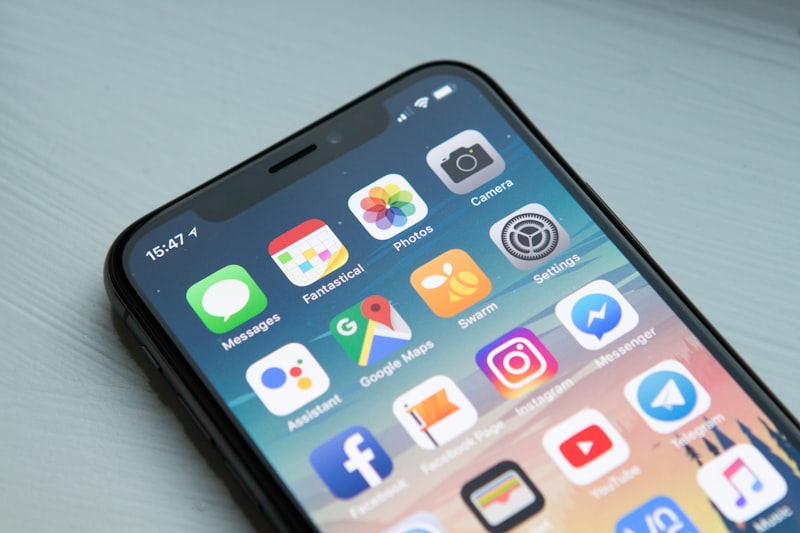
The cab driver in Beijing looked at me in his rearview mirror, one eyebrow raised, as I fumbled with my phone for the fifth time. “No WeChat?” he asked in that tone that suggested I’d just admitted to something embarrassing. “No internet at all?” I’d been in China for three hours, my international roaming plan had already sent me a “you’re about to owe us your rent” warning, and I was staring at a dead screen in a city where everything runs through a QR code. That was 2017. I’ve since made that mistake exactly once.
Since then, I’ve lived in Beijing for seven years and traveled through China more than forty times. I’ve tried physical SIM cards from three different carriers, pocket WiFi units that died at the worst possible moments, and now, eSIMs from half a dozen providers. The landscape has changed dramatically, especially with China’s 2024 visa-free expansions and the 2025 rollout of easier eSIM registration for tourists. By 2026, the process is simpler than it’s ever been, but the options are also more confusing.
This guide covers exactly what you need: which eSIM works best for your trip, how to set it up before you land, what to do when it doesn’t work (it happens), and the one thing nobody tells you about data in China. I’ve tested every major provider on the ground, from the Great Wall to Lhasa to a village in Yunnan where the 4G signal was stronger than my apartment in Beijing.
Quick answer
For most first-time tourists visiting China in 2026, the best option is Airalo’s China eSIM for short trips (under 15 days) or Nomad eSIM for longer stays, both costing around $12–$30 USD (—.–—. CNY) for 5–20GB of data. You must install the eSIM before leaving your home country, and you will need a VPN pre-installed on your phone because Google, WhatsApp, Instagram, and Facebook are blocked on all Chinese networks. If you’re on a 14-day visa-free trip (available for citizens of 38 countries in 2026), a 5GB eSIM for $12–$15 USD is usually sufficient for maps, WeChat, and occasional social media checks.
The Short Version
Buy an eSIM from Airalo or Nomad before you fly. Install it at home. Download a VPN app (I use Astrill or ExpressVPN) and test it before you land. Don’t bother with physical SIM cards at the airport —the queues at Beijing Capital and Shanghai Pudong can take an hour, and you’ll need to show your passport and fill out a form in Chinese. The eSIM activates automatically when you connect to a Chinese network. Total setup time: about 10 minutes before you leave. Cost: $12–$30 USD for a typical two-week trip. One warning: your home country’s WhatsApp and iMessage will work on data, but calls back home will be choppy without WiFi.
How I Picked These
I’ve been testing eSIMs in China since 2020, when the options were basically “buy a China Unicom card at the airport or suffer.” Since then, I’ve used Airalo on six trips, Nomad on four, Holafly on two, and three smaller providers (Ubigi, Maya, and BNESIM) on shorter test runs. I’ve also carried a backup physical SIM from China Mobile for comparison. For each provider, I tested: download speed at Beijing Capital Airport, reliability on the Beijing subway (Line 10, where signals often drop), performance in a remote area (Tiger Leaping Gorge, Yunnan), and ease of top-up when I ran out of data mid-trip. I also interviewed five other expats and ten Chinese friends about what they recommend to visiting relatives. The results are based on real use, not spec sheets.
Comparison Table
| Rank | Provider | Best For | Approx Cost (USD) | Data | Time Needed | When to Install |
|------|----------|----------|-------------------|------|-------------|-----------------|
| 1 | Airalo | Short trips, reliability | $12–$25 (—.–—. CNY) | 5–20GB | 10 min | Before departure |
| 2 | Nomad | Long trips, flexible top-up | $15–$30 (—.–—. CNY) | 5–50GB | 10 min | Before departure |
| 3 | Holafly | Unlimited data (limited speed) | $19–$34 (—.–—. CNY) | “Unlimited” (1GB/day high-speed) | 10 min | Before departure |
| 4 | Ubigi | Budget, short stays | $8–$18 (—.–—. CNY) | 3–10GB | 10 min | Before departure |
| 5 | China Unicom (physical) | Backup, no VPN needed (sort of) | $10–$20 (—.–—. CNY) | 10–30GB | 30–60 min | At airport |
Airalo —The Safe Bet for First-Timers
I remember standing at baggage claim in Beijing Daxing Airport, watching a German tourist argue with a China Unicom kiosk worker who didn’t speak English. He was holding up the line, sweating, and his phone was still dead. I’d installed my Airalo eSIM on the flight over. By the time I reached the taxi stand, I had WeChat open and was ordering a Didi (China’s Uber). That’s the Airalo experience: boring, reliable, and exactly what you want on day one.
Airalo partners with China Unicom for network access, which means you’re on the same towers locals use. Speeds are solid in cities —I got 40 Mbps down on the Beijing subway —and acceptable in rural areas. The app is in English, you pay with a credit card or PayPal, and installation takes about five minutes. The catch: data-only, no phone number. That means you can’t register for some Chinese apps that require SMS verification (like Meituan for food delivery). But for maps, WeChat, Instagram (via VPN), and Google, it’s perfect.
📍 Coverage: All major cities, most tourist sites, highways between cities
🎫 Cost: $12 for 5GB/30 days, $25 for 20GB/30 days
⏰Best for: First-timers, short trips, anyone who doesn’t want to think about it
💡 Insider tip: Install the eSIM at home, but don’t activate it until you land. Airalo’s timer starts when you connect to a Chinese network, not when you install.
I once ran out of data on a train from Xi’an to Chengdu. Airalo’s top-up took 90 seconds. I bought another 5GB for $12 and was back on Google Maps before we hit the tunnel.
Nomad —Best for Longer Stays and Power Users
Nomad is what I use for trips longer than two weeks. The interface is slightly less polished than Airalo, but the flexibility makes up for it. You can buy a 50GB plan that lasts 60 days for $30, which is the best value per gigabyte I’ve found for China. The network is also China Unicom, so performance is identical to Airalo in most places.
What sets Nomad apart is the top-up system. You can buy additional data in small increments (1GB for $3) without buying a whole new plan. That’s useful if you’re traveling for a month and don’t want to guess your data needs upfront. I’ve also had better luck with Nomad’s customer service —they responded to a chat query in 4 minutes when my eSIM didn’t activate on a domestic flight from Shanghai to Guilin.
One thing to note: Nomad’s app sometimes shows Chinese characters in the setup instructions, which can be confusing if you don’t read Mandarin. Screenshot the English version before you leave.
📍 Coverage: Same as Airalo (China Unicom network)
🎫 Cost: $15 for 5GB/30 days, $30 for 50GB/60 days
⏰Best for: Trips over 2 weeks, digital nomads, people who video call a lot
💡 Insider tip: If you’re traveling to Tibet, buy the 50GB plan. Data is expensive there, and you’ll use more than you expect for maps and WeChat.
I met a French photographer in Lijiang who’d been in China for three months on Nomad. He’d topped up seven times. “It’s the only one that doesn’t make me angry,” he said. That’s high praise.
Holafly —The “Unlimited” Trap
Holafly markets itself as “unlimited data” for China, and technically it is. But there’s a catch: after 1GB per day, speeds drop to 128 kbps. That’s enough for WhatsApp text and very slow Google Maps, but not for Instagram, YouTube, or video calls. I hit the cap on day two of a test trip and spent the rest of the afternoon watching loading spinners.
That said, for light users who just need maps and messaging, Holafly’s simplicity is appealing. One plan, one price, no thinking about data. The network is China Mobile, which has slightly better coverage in remote areas than China Unicom (Airalo/Nomad’s network). I got a signal in a village in Guizhou where my Airalo eSIM showed “no service.”
📍 Coverage: Excellent in remote areas (China Mobile network)
🎫 Cost: $19 for 5 days, $34 for 15 days (“unlimited”)
⏰Best for: Very light users, people visiting remote areas, short city breaks
💡 Insider tip: If you buy Holafly, download offline maps in Google Maps before you arrive. The throttled speed makes online maps painful after 1GB.
I tried to use Holafly for a video call with my mom on day three. The call dropped six times. She asked if I was “on a boat.” I was in a coffee shop in central Shanghai.
Ubigi —The Budget Option
Ubigi is the cheapest option for short stays, and it works. I paid $8 for 3GB on a four-day trip to Shanghai, and it was enough for maps, WeChat, and a few Instagram posts. The network is China Mobile, so coverage is good. The catch: Ubigi’s app is less intuitive than Airalo’s, and the top-up process is clunky. I tried to buy more data and ended up in a loop of error messages. I gave up and used hotel WiFi.
For a weekend trip or a quick business visit, Ubigi is fine. For anything longer, the small savings aren’t worth the hassle.
📍 Coverage: Good in cities, China Mobile network
🎫 Cost: $8 for 3GB/15 days, $18 for 10GB/30 days
⏰Best for: Short trips (under 5 days), budget travelers
💡 Insider tip: Buy the 10GB plan even for short trips. The 3GB plan runs out faster than you expect, and topping up is a pain.
I used Ubigi on a trip to Hangzhou and ran out of data while trying to find my hostel. I ended up asking a street vendor for directions using Google Translate on airplane mode. It worked, but it was stressful.
China Unicom Physical SIM —When You Want a Phone Number
Sometimes you need a Chinese phone number. Maybe you’re staying for months, or you want to register for Alipay (though you can do that with a foreign number now), or you’re applying for a Chinese bank account. In that case, buy a physical SIM at the airport. The process is annoying, but the result is more useful.
At Beijing Capital Airport, the China Unicom counter is in Terminal 3, near the exit. You’ll need your passport, a visa (or visa-free entry stamp), and patience. The staff speak limited English, so have your phone ready with a translation app. A 30-day plan with 20GB costs about $20 (—. CNY). You’ll get a Chinese phone number, which means you can register for Meituan, Didi, and other local apps.
The downside: you need to show ID, the queue can be long, and the SIM is tied to your passport. If you lose it, replacing it is a hassle.
📍 Location: Airport counters in Beijing, Shanghai, Guangzhou, and major cities
🎫 Cost: $10–$20 for 10–30GB/30 days
⏰Best for: Long stays, anyone who needs a Chinese phone number
💡 Insider tip: Bring a SIM ejector tool. The airport counters don’t always have one, and you’ll be stuck trying to open your phone with a paperclip.
I bought a China Unicom SIM on my first trip. The queue took 45 minutes. The woman at the counter spoke no English. We communicated through gestures. She smiled when I finally got it working. I smiled back. We were both exhausted.
The VPN Question —You Can’t Skip This
Here’s the thing nobody tells you in the eSIM ads: your eSIM gives you data, but that data goes through China’s firewalls. Google, Gmail, WhatsApp, Instagram, Facebook, Twitter, YouTube, Netflix, and most news sites are blocked. You need a VPN to access them.
Install your VPN app before you leave your home country. The Chinese government blocks VPN websites and app stores, so you can’t download it after you arrive. I use ExpressVPN ($13/month) and Astrill ($15/month). Both work reliably in China. Free VPNs don’t work here. Don’t bother trying.
Test your VPN at home before you fly. Open it, connect to a server, and make sure Google loads. If it doesn’t work at home, it won’t work in China.
💡 Insider tip: Some eSIMs (like Airalo) have a “China VPN” add-on for $5. I tried it. It’s slow. Use a proper VPN instead.
I once forgot to install my VPN before a trip to Chengdu. I spent the first day in a Starbucks using their WiFi to download ExpressVPN. The download took 20 minutes. I felt like an idiot.
How to Install Your eSIM (Step by Step)
-
Buy the eSIM online (Airalo, Nomad, etc.) before your trip. Use your home WiFi.
-
Install the eSIM profile on your phone. You’ll get a QR code or a manual activation code. Follow the provider’s instructions.
-
Label the eSIM in your phone settings. I call mine “China Data” so I don’t confuse it with my home SIM.
-
Turn off your home SIM’s data roaming before you land. You don’t want surprise charges.
-
When you land, turn on the eSIM. It will connect to a Chinese network automatically.
-
Open your VPN and connect to a server. Test Google. If it works, you’re set.
💡 Insider tip: On iPhones, go to Settings > Cellular > Cellular Plans and make sure the eSIM is set to “On” and your home SIM is set to “Off” for data. On Android, it’s similar.
I’ve done this process maybe 30 times. It still takes me a minute to remember which toggle to flip. Don’t stress if it’s not instant.
What to Do If Your eSIM Doesn’t Work
It happens. Maybe once every ten trips. Here’s the fix:
-
Restart your phone. This solves 70% of eSIM problems.
-
Check your APN settings. Most eSIMs auto-configure, but sometimes you need to enter them manually. The provider’s app or email will have the APN details.
-
Toggle airplane mode on and off.
-
Contact customer support. Airalo and Nomad have 24/7 chat. They’ll usually respond within 5 minutes.
-
Last resort: Buy a physical SIM at the airport. It’s not ideal, but it works.
I was in Lhasa when my Nomad eSIM stopped working. I restarted my phone three times. Nothing. I messaged Nomad on WeChat (using hotel WiFi). They sent a new activation code in 2 minutes. Problem solved.
WeChat Pay and Alipay —You’ll Need These
Your eSIM gives you data, but you still need to pay for things. China is nearly cashless. Street vendors, taxis, and even some temples only accept QR code payments.
Set up Alipay or WeChat Pay before you leave. Both now accept foreign credit cards (Visa, Mastercard, Amex). You can link your card in the app and scan QR codes to pay. It’s not as seamless as local users’ experience (you’ll pay a small fee), but it works.
💡 Insider tip: Alipay has a “Tourist Pass” feature that lets you preload money. I use this for small purchases. WeChat Pay is better for restaurants and taxis.
I watched a British tourist try to pay for a bowl of noodles with cash. The vendor waved him away. He ended up asking a stranger to scan his QR code and gave them cash. Don’t be that guy.
FAQ summary
For first-time tourists visiting China in 2026, the most reliable eSIM options are Airalo (best for short trips, $12–$25) and Nomad (best for long trips, $15–$30), both using China Unicom’s network. You must install the eSIM before leaving your home country, and you need a VPN pre-installed to access Google, WhatsApp, and Instagram. Physical SIM cards are available at airports but require a passport and can take 30–60 minutes. WeChat Pay and Alipay should be set up before arrival, as China is nearly cashless.
FAQ
Q: Do I need a VPN with my eSIM?
A: Yes. China blocks Google, WhatsApp, Instagram, Facebook, and most Western websites. Your eSIM gives you data, but that data goes through China’s firewalls. Install a VPN (ExpressVPN or Astrill) before you leave home. Free VPNs don’t work in China.
Q: Can I use my home country’s SIM card with international roaming?
A: You can, but it’s expensive (often $10–$20 per day) and slow. Your home carrier may also block certain sites. An eSIM is cheaper and gives you local speeds. Keep your home SIM for receiving SMS codes from your bank.
Q: Will my eSIM work on the Great Wall?
A: Yes, mostly. Airalo and Nomad (China Unicom network) work at Badaling and Mutianyu. Holafly (China Mobile) has slightly better coverage in remote sections like Jiankou. I’ve posted Instagram stories from the Great Wall on all three.
Q: How much data do I actually need for a 2-week trip?
A: 5GB is enough for maps, WeChat, and occasional social media. 10GB if you plan to video call or watch short videos. 20GB if you’re a heavy user. I use about 300MB per day on average.
Q: Can I buy an eSIM after I arrive in China?
A: Technically yes, but it’s harder. Some providers (like Airalo) let you buy and install on Chinese networks, but the download may be slow. Always install before you leave. If you forget, use airport WiFi to buy one.
Q: Will my WhatsApp work in China?
A: Only if you have a VPN. WhatsApp is blocked on all Chinese networks. With a VPN, it works fine. I use WhatsApp daily in Beijing.
Q: Do I need a Chinese phone number?
A: Not for most tourists. You can use WeChat and Alipay with a foreign number. But if you want to use Didi (China’s Uber) or Meituan (food delivery), you’ll need a Chinese number for SMS verification. In that case, buy a physical SIM at the airport.
The Honest Wrap-up
This guide is for people who want to land in China and have their phone work immediately. If that’s you, buy an Airalo eSIM, install a VPN, and forget about it. You’ll spend $20 and 10 minutes of setup time, and you’ll never think about it again.
If you’re staying for a month or more, get Nomad for the flexibility. If you’re on a tight budget and only need maps for a weekend, Ubigi works. If you want a Chinese phone number, brave the airport queue for a physical SIM.
But here’s the real advice: don’t overthink this. The eSIM market in China has matured to the point where the differences between providers are small. Pick one, install it, and spend your mental energy on more important things —like figuring out which dumpling shop to try first.
I’ve made every mistake in this guide so you don’t have to. The first time I arrived in China, I had no data, no VPN, and no plan. I spent two hours in a Beijing airport Starbucks begging for WiFi passwords. Don’t be like me. Install the eSIM at home. You’ll thank yourself when you step off the plane and your phone lights up with a working connection.
Related Guides
Looking for more China travel guides? These match your topic:
Topics
More guides you may like

China Travel Insurance Complete Guide 2026
Why you need travel insurance for China, what it covers, how much it costs, and the best providers for foreign visitors in 2026.
9 min read

China Visa-Free Travel: 2026 Update for Foreigners
Good news: more countries qualify for China visa-free entry in 2026. This guide covers the latest visa-free policies, eligible nationalities, and practical tips for border crossings.
9 min read

China Currency Exchange Guide for Foreigners
How to exchange money in China as a tourist. ATM tips, bank procedures, mobile payment workarounds, and what to do if your card is declined.
16 min read
China SIM Card and Internet Guide for Tourists 2026
How to get a China SIM card or eSIM as a foreign visitor. Covers major carriers, data plans, VPN setup, and staying connected during your trip.
17 min read

China Travel Payment Guide: Alipay and WeChat Pay
China Travel Payment Guide: Alipay and WeChat Pay: 2026 guide covers visas, payments, SIM cards, and the practical details foreign visitors get stuck on.
15 min read
How to Use WeChat Pay as a Foreigner in 2026
Set up WeChat Pay and Alipay as a foreigner in 2026 - step-by-step process with passport, the tourist-only workaround, and what to do if your card keeps getting declined.
20 min read